
1. Réamhrá
Thank you for choosing the KALINCO P96 Smartwatch. This device is designed to help you monitor your health, track your fitness activities, and stay connected. This manual provides essential information for setting up, operating, and maintaining your smartwatch to ensure optimal performance and longevity.
2. Táirge Tharview
The KALINCO P96 Smartwatch features a 1.69-inch TFT display and offers a wide range of functionalities:
- Monatóireacht Sláinte: Continuous monitoring of heart rate, blood oxygen (SpO2), blood pressure, and sleep patterns. Includes a menstrual cycle tracking function for women.
- Saincheapadh: Split-screen mode for quick access to frequently used functions and over 100 stylish watch faces available via the GloryFit app. You can also upload personal photos as watch faces.
- Modhanna Spóirt: Over 100 sports modes (running, cycling, rope skipping, dancing, yoga, etc.) with activity tracking for steps, calories burned, distance, heart rate, and blood oxygen during exercise.
- Fógraí Cliste: Receive text messages and notifications from apps like WhatsApp, Messenger, Facebook, and Instagram directly on your watch. Notifications can be individually deleted from the watch.
- Durability & Battery Life: IP67 water resistance for daily use (hand washing, rain). Equipped with a 260 mAh battery, providing 5-7 days of active use and 15-20 days of standby time with a 2-hour charge.
- Feidhmeanna Breise: Features include phone/watch finder, screen brightness adjustment, breathing training, remote photography, music control, sedentary reminder, alarm clock, timer, stopwatch, and weather forecasts.

Image: The KALINCO P96 Smartwatch displaying its 1.69-inch screen with multiple customizable watch faces and user interface elements.
3. Socrú
3.1. Muirearú an Uaireadóra Chliste
Before initial use, fully charge your smartwatch. Connect the magnetic charging cable to the charging contacts on the back of the watch and plug the USB end into a standard USB power adapter (not included). A full charge typically takes approximately 2 hours.
3.2. An Aip a Íoslódáil agus a Shuiteáil
The KALINCO P96 Smartwatch requires the GlóirFit application for full functionality and data synchronization. You can download the app from:
- The Apple App Store (for iOS devices)
- Google Play Store (for Android devices)
- Scan the QR code provided in the quick start guide (if available).
The GloryFit app is compatible with smartphones running Android 5.0 or iOS 9.0 and above.
3.3. Péireáil le do ghuthán cliste
- Cinntigh go bhfuil Bluetooth do ghutháin chliste cumasaithe.
- Oscail an aip GloryFit ar do ghuthán cliste.
- Follow the in-app instructions to search for and connect to your KALINCO P96 Smartwatch. The watch will typically appear as 'P96' or a similar device name.
- Deimhnigh an t-iarratas péireála ar do ghuthán cliste agus ar an uaireadóir cliste araon má iarrtar ort é a dhéanamh.
Nuair a bheidh sé péireáilte, déanfaidh an faire sioncrónú ar an am agus na sonraí le do ghuthán.
4. Treoracha Oibriúcháin
4.1. Nascleanúint Bhunúsach
- Swipe Suas/Síos: Nascleanúint trí roghchláir agus fógraí.
- Swipe Ar Chlé/Deas: Rochtain a fháil ar fheidhmeanna tapa nó ar scáileáin sonraí éagsúla.
- Tapáil: Roghnaigh mír nó deimhnigh gníomh.
- Cnaipe Taobh: Brúigh chun an scáileán a dhúiseacht, filleadh ar an scáileán baile, nó rochtain a fháil ar an bpríomh-roghchlár.
4.2. Monatóireacht Sláinte
The smartwatch continuously monitors several health metrics:
- Ráta Croí: Soláthraíonn sé monatóireacht ar ráta croí 24 uair an chloig. View real-time data on the watch or detailed trends in the GloryFit app.
- Ocsaigin Fola (SpO2): Monitors blood oxygen levels using infrared technology. Access readings on the watch or app.
- Brú Fola: Measures blood pressure. For accurate readings, ensure the watch is worn correctly and remain still during measurement. Consult a medical professional for precise medical data.
- Rianú Codlata: Automatically tracks your sleep patterns, including deep sleep, light sleep, and awake times. Review your sleep quality analysis in the GloryFit app.
- Rianú Rothaíochta Menstrual: A dedicated feature for women to record and track menstrual cycles within the GloryFit app.

Image: The smartwatch interface showing health monitoring features such as blood oxygen, blood pressure, heart rate, and a visual representation of sleep tracking data.
4.3. Modhanna Spóirt agus Rianú Gníomhaíochta
The P96 Smartwatch supports over 100 sports modes. To use:
- Téigh go dtí an rannán 'Spóirt' ar d'uaireadóir.
- Roghnaigh an ghníomhaíocht atá uait (m.sh., rith, rothaíocht, ióga).
- Start the activity. The watch will track metrics like steps, calories, distance, and heart rate.
- End the activity to save your data. Detailed reports are available in the GloryFit app.

Image: A visual representation of the smartwatch's 100+ sports modes icons and a smartphone screen displaying detailed daily activity tracking data including steps, distance, and calories.
4.4. Fógraí Cliste
Once paired with your phone, the watch can display notifications:
- Ensure app notifications are enabled in the GloryFit app settings.
- Incoming calls, text messages, and app alerts will vibrate the watch and display content on the screen.
- You can dismiss or delete notifications directly from the watch.

Image: The smartwatch showing icons for various smart notifications (calls, Facebook, Line, Instagram, etc.) and illustrations of vibration reminders for calls, sedentary alerts, and alarms.
4.5. Saincheapadh
- Aghaidheanna Faire: In the GloryFit app, browse and select from over 100 watch faces. You can also upload your own photos to personalize the watch face.
- Mód Scáileáin Scoilte: Swipe right on the main screen to access the split-screen area, allowing quick selection of frequently used functions.
4.6. Feidhmeanna Breise
Explore other useful features:
- Stopuaireadóir: Use the built-in stopwatch for timing activities.
- Réamhaisnéis na haimsire: View current weather conditions and forecasts (requires app synchronization).
- Rialú Ceoil: Rialú athsheinm ceoil ar do ghuthán cliste (seinn, sos, scipeáil rianta).
- Coigeartú Gile: Adjust screen brightness for optimal visibility in different lighting conditions.
- Aimsigh Fón/Uaireadóir: Aimsigh do ghuthán nó d’uaireadóir péireáilte má tá sé caillte.
- Oiliúint análaithe: Cleachtaí análaithe treoraithe le haghaidh scíthe.
- Grianghrafadóireacht Cianda: Bain úsáid as d’uaireadóir mar chomhla iargúlta do cheamara do ghutháin.
- Meabhrúchán Sedentary: Faigh foláirimh le bogadh má bhí tú neamhghníomhach ar feadh ró-fhada.
- Clog Aláraim & Uaineadóir: Set alarms and timers directly from your watch.
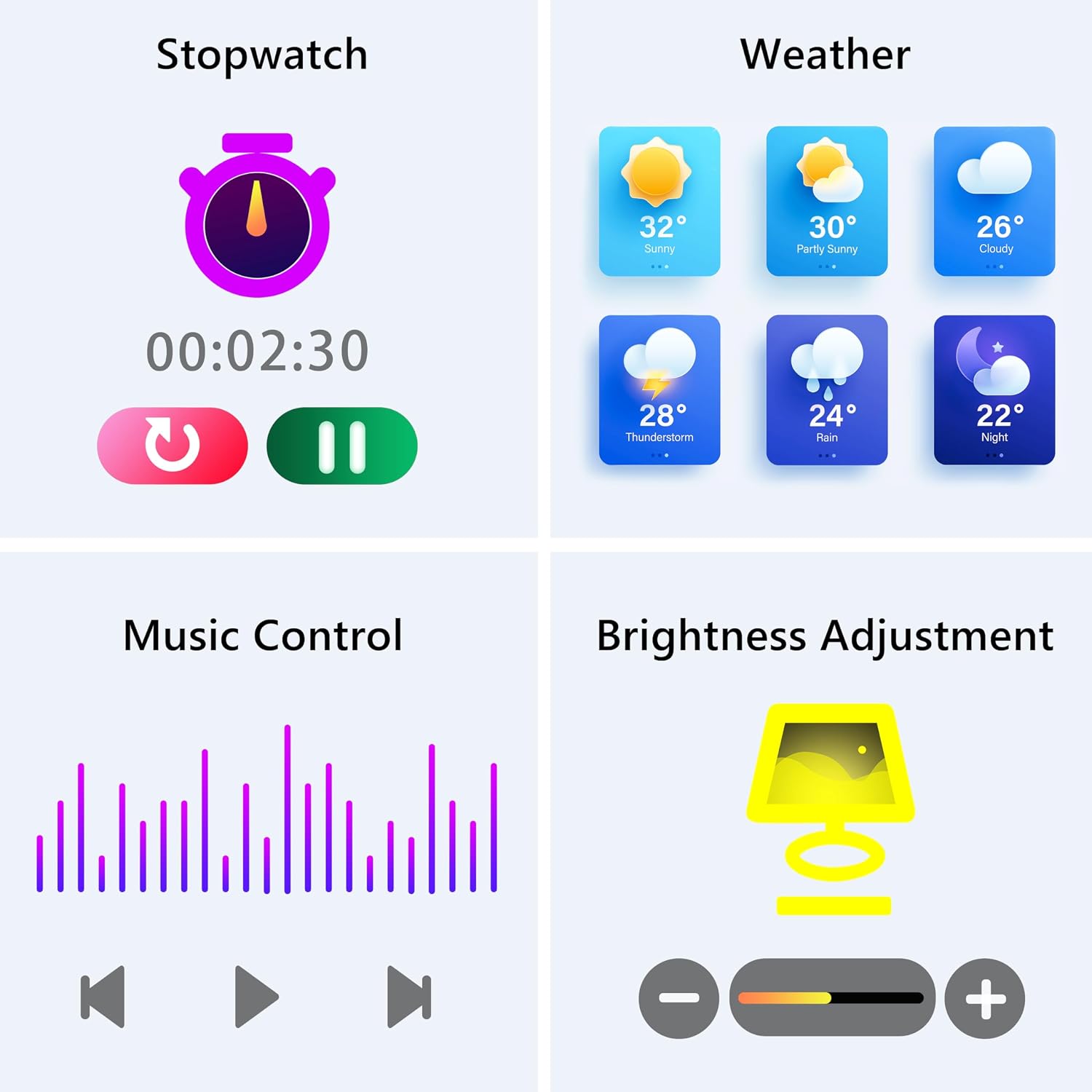
Image: The smartwatch screen showing various utility functions including a stopwatch, weather forecast, music control interface, and brightness adjustment slider.
5. Cothabháil
- Glanadh: Glan do uaireadóir cliste agus do strap go rialta le héadach bog tirim. Seachain ceimiceáin ghéara nó ábhair scríobacha a úsáid.
- Friotaíocht Uisce (IP67): The watch is IP67 water-resistant, meaning it can withstand splashes, hand washing, and rain. It is nach bhfuil suitable for swimming, showering with hot water, or diving. Avoid prolonged exposure to water.
- Cúram Battery: Charge the battery fully when indicated. Avoid completely draining the battery frequently to prolong its lifespan. Store the watch in a cool, dry place when not in use for extended periods.
- Nuashonruithe Bogearraí: Keep the GloryFit app updated to ensure your smartwatch has the latest features and performance improvements.
6. Fabhtcheartú
If you encounter issues with your KALINCO P96 Smartwatch, try the following solutions:
- Ní chasann an faire air: Ensure the watch is fully charged. Connect it to the charger for at least 10-15 minutes.
- Ní féidir péireáil leis an bhfón:
- Cinntigh go bhfuil Bluetooth cumasaithe ar do ghuthán.
- Cinntigh go bhfuil an faire laistigh de raon Bluetooth (10 méadar de ghnáth).
- Atosaigh do ghuthán agus d’uaireadóir cliste araon.
- Check if the GloryFit app is updated to the latest version.
- Má bhí péireáilte roimhe seo, déan iarracht an gléas a dhíphéireáil agus a athphéireáil tríd an aip GloryFit.
- Fógraí nár fuarthas:
- Verify that notifications are enabled for specific apps in the GloryFit app settings.
- Ensure your phone's notification settings allow the GloryFit app to display alerts.
- Check if the watch is properly connected via Bluetooth.
- Sonraí sláinte míchruinne:
- Cinntigh go bhfuil an uaireadóir caite go docht ar do chaol na láimhe, gan a bheith ró-dhaingean ná ró-scaoilte.
- For blood pressure readings, remain still and follow instructions. Note that smartwatch blood pressure measurements are for reference only and should not replace professional medical equipment.
- Glan an braiteoir ar chúl an uaireadóra.
- Saol gairid ceallraí:
- Laghdaigh gile an scáileáin.
- Díchumasaigh monatóireacht leanúnach ar ráta croí mura bhfuil gá leis 24/7.
- Cuir teorainn le líon na n-aipeanna a sheolann fógraí chuig an uaireadóir.
Má leanann fadhbanna ar aghaidh, féach ar an rannán tacaíochta le haghaidh sonraí teagmhála.
7. Sonraíochtaí
| Gné | Sonraigh |
|---|---|
| Branda | CALINCO |
| Uimhir Mhúnla | P96 |
| Méid an Scáileáin | 1.69 Orlach |
| Córas Oibriúcháin | Multiple Versions of Both iOS and Android |
| Teicneolaíocht Nascachta | Bluetooth 4.0 |
| Cumas Battery | 260 mAh (polaiméir litiam) |
| Friotaíocht Uisce | IP67 |
| Gléasanna Comhoiriúnacha | Smartphone (Android 5.0+ / iOS 9.0+) |
| Gnéithe Speisialta | Text Messaging, Notification, Health Monitoring |
| GPS | GPS trí fhón cliste |
8. Barántas agus Tacaíocht
KALINCO is committed to providing exceptional products. Your KALINCO P96 Smartwatch comes with a Barántas 12 mhí ó dháta an cheannaigh.
If you encounter any problems, have suggestions, or require assistance, please do not hesitate to contact KALINCO customer support. We are dedicated to providing you with satisfactory solutions at all times.
For support, please refer to the contact information provided with your product packaging or visit the official KALINCO websuíomh.