
1. Táirge Tharview
The LENVII F510 is a wired 2D barcode scanner designed for efficient and accurate data capture. It supports both 1D and 2D barcodes, including QR codes, making it suitable for various applications such as retail, logistics, and inventory management. Its plug-and-play design ensures easy setup and immediate use with compatible systems.

Image: The LENVII F510 Wired 2D Barcode Scanner, a black handheld device with a scanning window.

Image: Various angles of the LENVII F510 barcode scanner, showcasing its ergonomic design and features.
2. Ábhar Pacáiste
- LENVII F510 Wired 2D Barcode Scanner
- USB Cable (1.8 meters)
- Lámhleabhar Úsáideora (an doiciméad seo)
3. Treoracha Socraithe
The LENVII F510 barcode scanner is designed for plug-and-play operation, requiring no driver installation for most operating systems.
- Ceangail an Cábla USB: Insert the smaller end of the provided USB cable into the port at the base of the scanner.
- Ceangail le Ríomhaire: Plug the standard USB-A end of the cable into an available USB port on your computer (PC, Laptop, Mac).
- Aitheantas Córais: Your operating system (Windows, Mac, Linux) will automatically detect and install the necessary device drivers. This process usually takes a few seconds.
- Réidh le húsáid: Once the system recognizes the scanner, it is ready for immediate use. Open any application that accepts keyboard input (e.g., Notepad, Word, Excel) and scan a barcode to test. The barcode data should appear as typed text.
Nóta: Connection with Square systems is not supported.
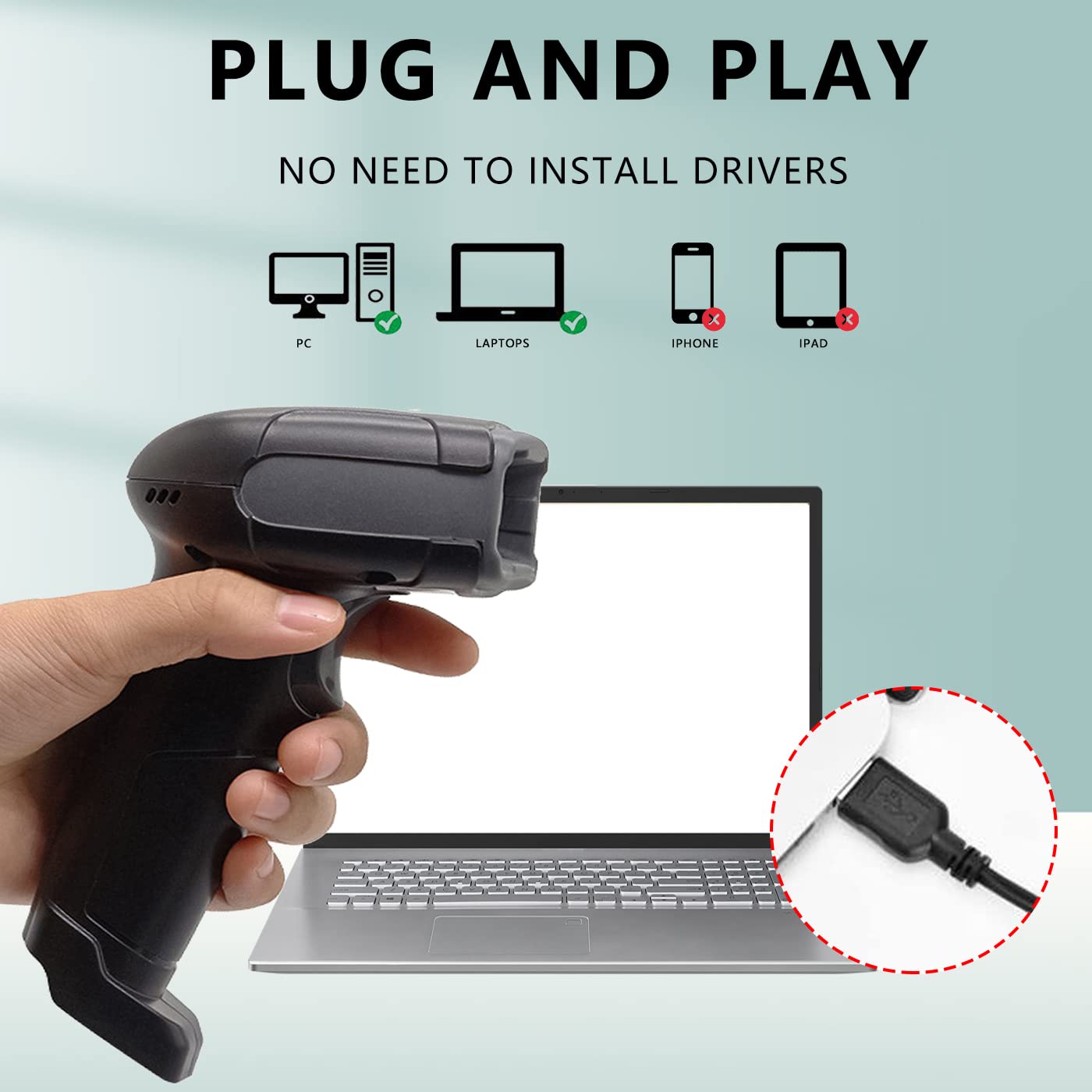
Image: A hand holding the LENVII F510 scanner, with illustrations showing compatibility with PCs and Laptops (green check) and incompatibility with iPhones and iPads (red X). A close-up of the USB connection is also shown.

Image: The LENVII F510 scanner connected via USB cable, with icons indicating compatibility with Windows (Win7, Win8, Win10, WinXP) and Mac operating systems.
Video: A demonstration of connecting the LENVII F510 scanner to a laptop and scanning various 1D and 2D barcodes from a phone screen and printed labels.
4. Treoracha Oibriúcháin
The LENVII F510 is a versatile barcode reader capable of scanning a wide range of 1D and 2D barcodes.
4.1. Barrachóid a Scanadh
- Hold the scanner approximately 5-15 cm (2-6 inches) away from the barcode.
- Press the trigger button to activate the scanning light.
- Aim the scanning light directly at the center of the barcode.
- A successful scan will be indicated by an audible beep and the data appearing on your connected device.
4.2. Supported Barcode Types
The scanner supports the following barcode symbologies:
- Barrachóid 1D: UPC/EAN/JAN, UPC-A and UPC-E, EAN-8 and EAN-13, JAN-8 and JAN-13, ISBN/ISSN, Code 39 (with full ASCII), Codabar (NW7), Code 128 & EAN 128, Code 93, Interleaved 2 of 5 (ITF), Appendix 2 of 5, IATA Code, MSI/Plessy, China Postcode, Code 32 (Italian Pharmacode), RSS 14, RSS Limited, RSS Extension.
- Barrachóid 2D: QR Code, Data Matrix, PDF417, Aztec, Maxicode, MicroPDF417.

Image: A hand holding the LENVII F510 scanner, with examples of various 1D barcodes (one-dimensional, incomplete, high density, deformation) and 2D barcodes (QR code, DataMatrix, Minitype code, PDF417, Border code) that the scanner supports.
4.3. Scanning from Screens
The LENVII F510 is capable of reading barcodes displayed on mobile phone screens and computer monitors, making it ideal for digital coupons, tickets, and payment applications.
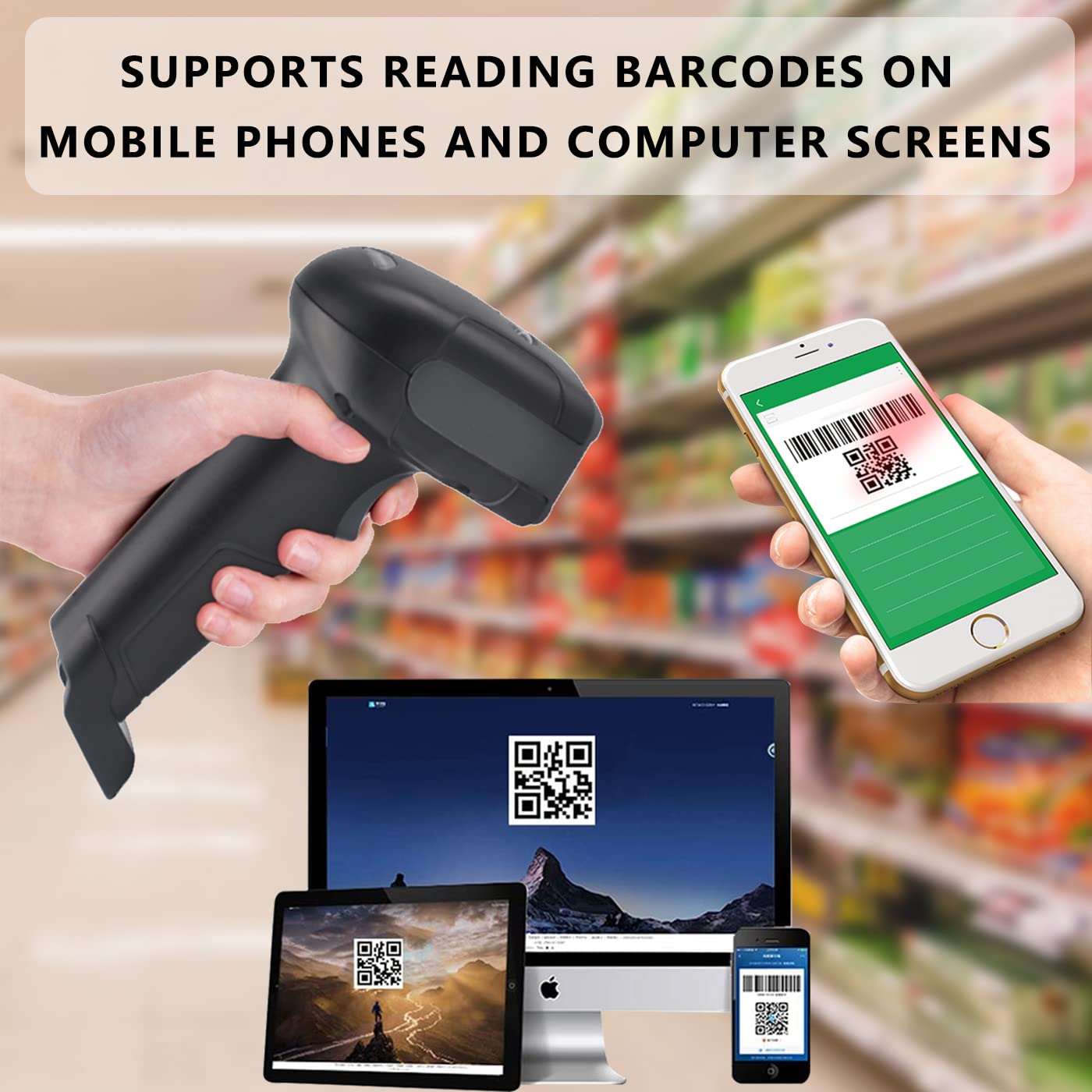
Image: The LENVII F510 scanner being used to scan a QR code displayed on a smartphone screen, with other screens (laptop, tablet) also showing barcodes.
5. Cothabháil
To ensure optimal performance and longevity of your LENVII F510 barcode scanner, follow these maintenance guidelines:
- Glanadh: Regularly wipe the scanning window and the scanner body with a soft, dry, lint-free cloth. For stubborn dirt, a slightly damp Is féidir éadach a úsáid, agus ansin é a thriomú láithreach. Seachain glantóirí scríobacha nó tuaslagóirí.
- Stóráil: Stóráil an scanóir in áit fhionnuar, thirim amach ó sholas díreach na gréine agus ó theocht ard.
- Láimhseáil: While the scanner is designed with anti-shock material, avoid unnecessary drops or impacts to prevent damage. The device has an anti-fall height rating of 5 meters.

Image: The LENVII F510 scanner lying on a cracked surface, illustrating its anti-shock and anti-fall capability.
6. Fabhtcheartú
If you encounter issues with your LENVII F510 barcode scanner, please refer to the following common troubleshooting steps:
- Scanóir Gan Freagairt:
- Cinntigh go bhfuil an cábla USB ceangailte go daingean leis an scanóir agus leis an ríomhaire araon.
- Try plugging the scanner into a different USB port on your computer.
- Atosaigh do ríomhaire.
- No Data Output After Scanning:
- Verify that the application you are using (e.g., Notepad, Word) is active and ready to receive input.
- Check if the barcode is damaged or poorly printed. Try scanning a known good barcode.
- Ensure the scanning light is properly aimed at the barcode.
- Aschur Sonraí Mícheart:
- This can sometimes occur with specific barcode types or settings. Refer to the full programming manual (if available from the manufacturer) for advanced configuration options.
For further assistance, please contact LENVII customer support.
7. Sonraíochtaí
| Gné | Sonraigh |
|---|---|
| Uimhir Mhúnla | F510 |
| Nascacht | Wired USB Cable (1.8 meters) |
| Ráta Scanadh | 200 scanadh in aghaidh an tsoicind |
| Braiteoir Íomhá | 640 pixels (H) * 480 pixels (V) CMOS |
| Foinse Solais | Aiming: 617 nm LED; Illumination: 6500K LED |
| Cumas Díchódaithe | 1D: UPC/EAN/JAN, Code 39, Code 128, etc. 2D: QR Code, Data Matrix, PDF417, etc. |
| Rún | Reads minimum 5mil barcode and maximum 13mil barcode |
| Toisí (L*W*H) | 160mm * 64mm * 97mm (6.29in * 2.5in * 3.81in) |
| Meáchan | 190 gram (0.41 lb) |
| Airde Frith-titim | 5 méadar |
| OS comhoiriúnach | Windows, Mac, Linux |
| Réimse Iarratais | Supermarkets, convenience stores, warehouses, libraries, bookstores, drugstores, retail shops, file management, inventory tracking. |
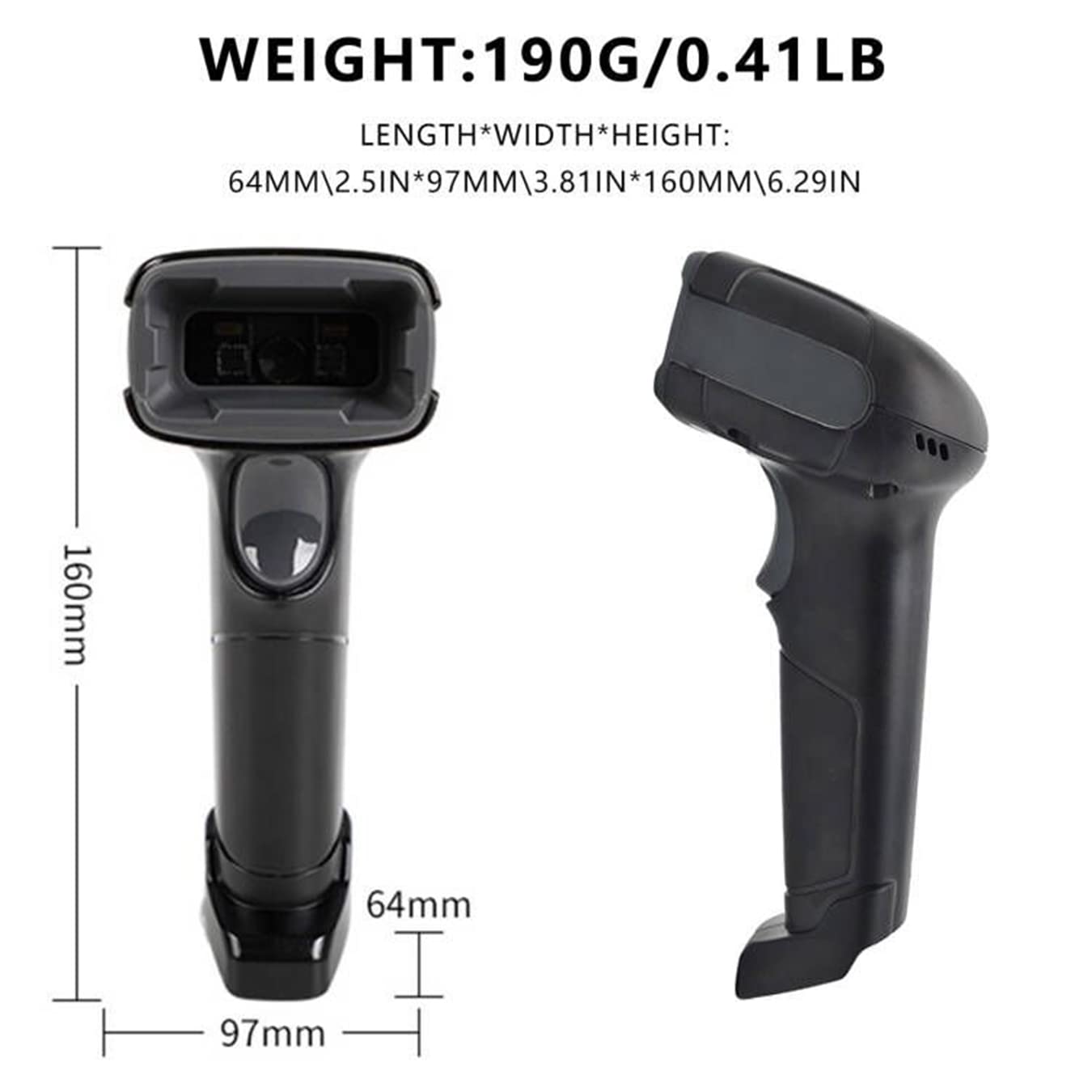
Image: Technical drawing of the LENVII F510 scanner showing its dimensions (160mm length, 64mm width, 97mm height) and weight (190g / 0.41lb).

Image: A collage showing various environments where the LENVII F510 scanner can be used, including a supermarket, storehouse, library, and pharmacy.
8. Barántas agus Tacaíocht
The LENVII F510 barcode scanner comes with a Barántas 6 mhí. For any product-related inquiries, technical support, or warranty claims, please contact the manufacturer or importer directly.
- Allmhaireoir/Pacálaí: COOLPLAY TECHNOLOGY PRIVATE LIMITED
- Ríomhphost Tacaíochta: tacaíocht@lenvii.net
Coinnigh d’admháil ceannaigh le do thoil chun críocha barántais.