
1. Réamhrá
This manual provides essential information for the safe and efficient operation of your iFFALCON 32F2A 32-inch HD Ready Android Smart LED TV. Please read these instructions thoroughly before using the television and retain them for future reference.
The iFFALCON 32F2A is an 80 cm (32 inches) HD Ready Android Smart LED TV designed to offer a comprehensive entertainment experience. It features a 720p resolution display, integrated Android operating system, and smart functionalities like Google Assistant and Chromecast built-in.
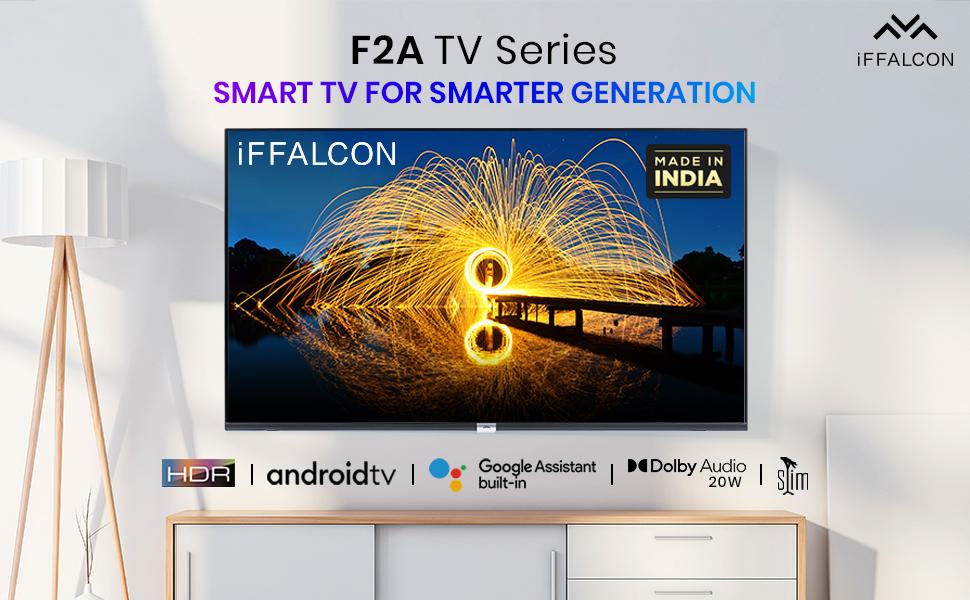
Íomhá 1.1: Tosaigh view of the iFFALCON 32F2A Smart LED TV displaying the Android TV interface, alongside icons representing key features such as HDR, Android TV, Google Assistant, Micro Dimming, IPQ Engine, Chromecast built-in, AI, and Dolby Audio with 20W speakers.
2. Cad atá sa Bhosca
Verify that all components are present and undamaged upon unpacking your new television.
- 1 x iFFALCON 32F2A LED TV
- 1 x Seasamh Barr Tábla
- 1 x lámhleabhar úsáideora
- 1 x Cárta Baránta
- 1 x Cianrialú
- 2 x Ceallraí AAA (don rialú iargúlta)
3. Socrú
3.1 Díphacáil agus Socrúchán
Carefully remove the TV from its packaging. It is recommended to have two people for this process. Place the TV on a stable, flat surface or mount it securely on a wall.
3.2 Attaching the Table Top Stand
- Cuir scáileán an teilifíse síos ar dhromchla bog, glan chun scríobtha a chosc.
- Ailínigh bunanna an seastáin leis na sliotáin chomhfhreagracha ar bhun an teilifíse.
- Secure the stand bases using the provided screws. Ensure they are tightened firmly.
3.3 Gléasadh Balla (Roghnach)
If you choose to wall mount your TV, please note that the wall mount bracket is not included and must be purchased separately. Follow the instructions provided with your wall mount kit and ensure professional installation for safety.
3.4 Gléasanna Seachtracha a Cheangal
Your iFFALCON 32F2A TV offers various connectivity options:
- Poirt HDMI: Ceangail seinnteoirí Blu-ray, consóil cearrbhachais, nó boscaí barr-sraithe.
- USB Port: Ceangail gléasanna stórála USB le haghaidh athsheinm meán.
- Port Ethernet: Le haghaidh nasc idirlín sreangaithe.
- Jack Cluasán: Le haghaidh éisteacht phríobháideach.
3.5 Ceangal Cumhachta
Connect the power cord to the TV's power input and then to a suitable AC power outlet (240 Volts, 50 Watts). Ensure the power cable is securely connected.
3.6 An Draoi Cumhachta Ar Ais agus Socraithe Tosaigh
After connecting power, press the power button on the TV or remote control. The TV will guide you through the initial setup wizard, including language selection, network connection (Wi-Fi or Ethernet), Google account sign-in, and channel scanning.

Image 3.1: A diagram illustrating the physical dimensions of the iFFALCON 32F2A TV, including screen size (32 inches / 79.97 cm diagonal), width (73.20 cm / 29 inch), height (48.20 cm / 19 inch), and depth (17.30 cm / 6.9 inch).
4. Treoracha Oibriúcháin
4.1 Cianrialtán
The provided remote control allows you to navigate the TV's interface and access various functions. Insert the two AAA batteries (included) into the remote control, ensuring correct polarity.
- Cnaipe Cumhachta: Casann sé an teilifís air nó as.
- Cnaipí Nascleanúna: Bain úsáid as an eochaircheap treorach agus an cnaipe OK chun bogadh trí na roghchláir.
- Imleabhar +/-: Coigeartaíonn an leibhéal toirte.
- Cainéal +/-: Athraíonn sé bealaí teilifíse.
- Cnaipe Baile: Filleann sé ar scáileán baile Android TV.
- Cnaipe Ar Ais: Filleann sé ar an scáileán roimhe seo.
- Cnaipe Cúntóir Google: Gníomhaíonn sé rialú gutha.
- Cnaipe Netflix: Direct access to Netflix.
- Amazon Prime Video Button: Direct access to Amazon Prime Video.
- Zee5 Button: Direct access to Zee5.
- TCL Channel Button: Direct access to TCL channel.

Image 4.1: The smart remote control for the iFFALCON TV, highlighting the Google Assistant button and a dedicated hotkey for Netflix for quick access.
4.2 Comhéadan Teilifíse Android
Your TV runs on Android 9, providing access to a wide range of apps and services. The home screen displays recommended content, installed applications, and input sources.
- Aipeanna: Access pre-installed applications like Netflix, YouTube, Prime Video, Disney+Hotstar, Sun NXT, and Zee5. Download more from the Google Play Store.
- Ionchuir: Switch between HDMI inputs, USB, and other connected devices.
- Socruithe: Customize TV settings such as picture, sound, network, and system preferences.

Image 4.2: The iFFALCON Smart LED TV showcasing its Android TV home screen, featuring prominent app icons for Netflix, YouTube, Prime Video, and other streaming services.

Image 4.3: The iFFALCON Smart LED TV interface, illustrating the availability of popular streaming platforms such as YouTube, Prime Video, Disney+ Hotstar, SonyLIV, Zee5, ALTBalaji, Voot Select, and Eros Now.
4.3 Cúntóir Google
The built-in Google Assistant allows you to control your TV and smart home devices using voice commands. Press the Google Assistant button on your remote and speak into the microphone.
- Search Content: Say "Play a cartoon movie" or "Cuardaigh le haghaidh action films."
- Control TV: Say "Turn up the volume" or "Switch to HDMI 1."
- Get Information: Ask "What's the weather today?" or "How long is Moonlight?"
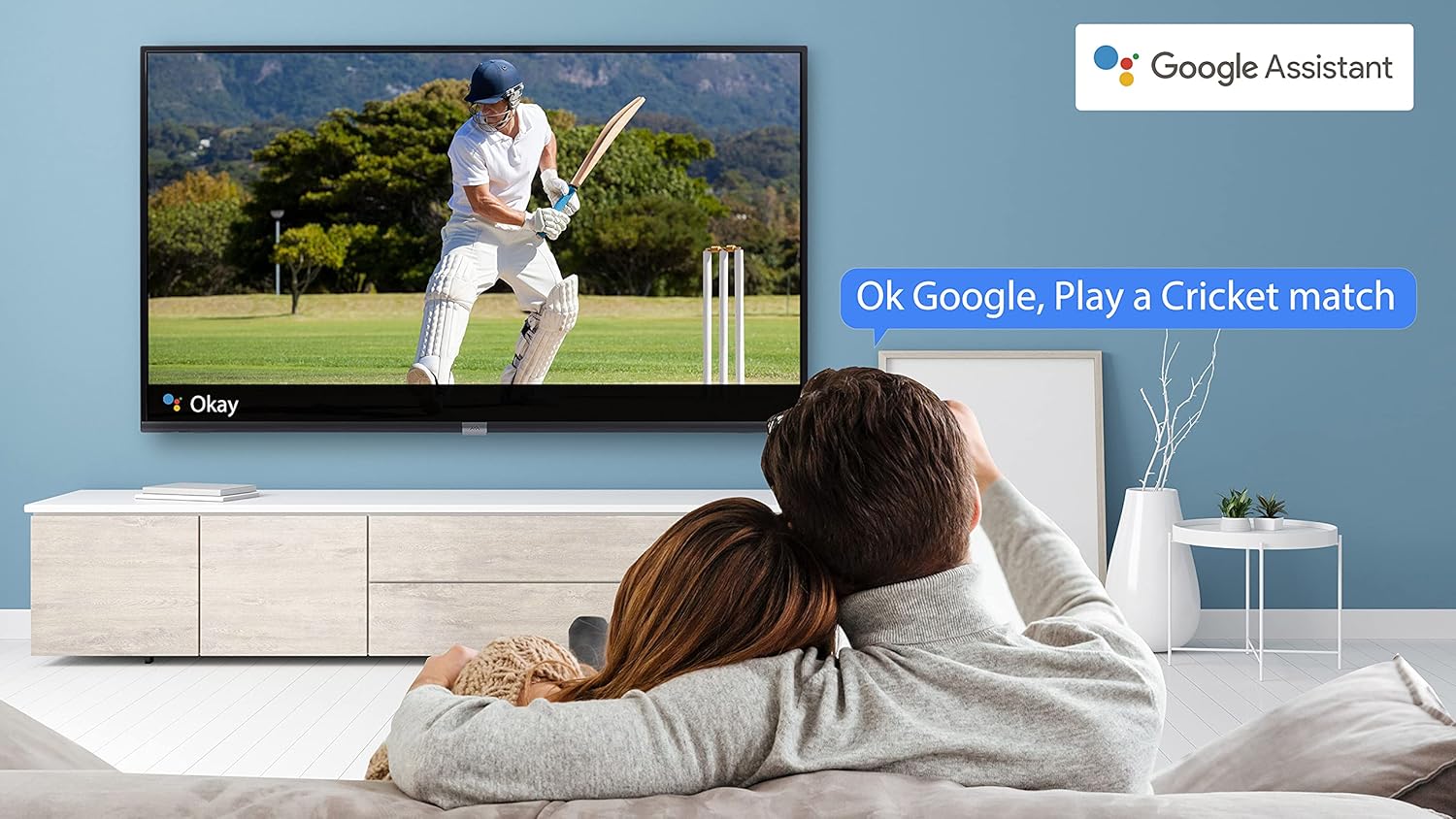
Image 4.4: A couple watching a cricket match on the iFFALCON TV, with a Google Assistant prompt bubble showing "Ok Google, Play a Cricket match," demonstrating voice control functionality.
Image 4.5: The Google Assistant logo, indicating the TV's integrated voice control capabilities.
4.4 Chromecast Insuite
Use Chromecast built-in to cast content from your compatible smartphone, tablet, or computer directly to your TV screen. Ensure your device and TV are connected to the same Wi-Fi network.

Image 4.6: A smartphone displaying a car image, with a casting icon indicating that the content is being mirrored to a larger TV screen, demonstrating the Chromecast built-in feature.
5. Príomhghnéithe
5.1 HDR (High Dynamic Range)
HDR technology enhances contrast, color accuracy, and brightness, delivering a more lifelike and immersive viewing experience with greater detail in both dark and bright scenes.

Image 5.1: A split-screen comparison showing the visual difference between an image without HDR 10 (left, darker, less vibrant) and with HDR 10 (right, brighter, more detailed, and richer colors).
5.2 Micro Dimming
Micro Dimming analyzes the TV content in hundreds of separate zones to adjust brightness and darkness independently. This results in improved contrast and picture quality, especially in scenes with mixed light levels.

Image 5.2: A split-screen comparison demonstrating the effect of Micro Dimming, with the 'Without Micro Dimming' side appearing less vibrant and the 'With Micro Dimming' side showing enhanced contrast and color saturation in a city night scene.
5.3 IPQ Engine
The IPQ Engine (Image Quality Processing Engine) optimizes picture quality by intelligently adjusting brightness, color range, and contrast, ensuring a more vivid and accurate display.

Image 5.3: A visual representation of the IPQ Engine, highlighting its 'High Brightness Precision Control Technology' and 'Intelligent Color Range Control Technology' for optimized picture quality.
5.4 Fuaim Dolby
Experience rich, clear, and powerful sound with Dolby Audio. This technology enhances the audio output, providing an immersive listening experience for movies, music, and games.

Image 5.4: The Dolby Audio logo, signifying enhanced sound quality and an immersive audio experience.
5.5 Smart Volume
Smart Volume automatically adjusts the sound level to prevent sudden changes in volume, such as during commercials or when switching channels, ensuring a consistent listening experience.

Image 5.5: An illustration of the Smart Volume feature, showing how it maintains consistent audio levels across different content types, represented by varying sound wave patterns.
5.6 Mód Spóirt
Sports Mode optimizes picture and sound settings for sports content, enhancing motion clarity and audio to provide a more engaging viewtaithí a fháil ar spóirt bheo.

Image 5.6: A split-screen comparison of a cricket player, showing the 'Without Sports Mode' side with standard clarity and the 'With Sports Mode' side with enhanced motion and detail, indicated by a playback bar.
5.7 Slim Design
The iFFALCON 32F2A features a slim design, allowing it to blend seamlessly into various living spaces and offering a modern aesthetic.

Image 5.7: An illustration emphasizing the slim profile of the iFFALCON TV, with a hand demonstrating its thinness.
6. Cothabháil
6.1 Glanadh an Scáileáin
Cuimil an scáileán go réidh le héadach bog, saor ó lint. I gcás marcanna righne, glan go héadrom é.ampNigh an t-éadach le huisce nó le glantóir scáileáin speisialaithe. Seachain ceimiceáin ghéara nó ábhair scríobacha a úsáid.
6.2 Glanadh na Comh-Aireachta
Glan caibinéad an teilifíse le héadach bog tirim. Ná húsáid glantóirí leachtacha go díreach ar an gcaibinéad.
6.3 Cúram Corda Cumhachta
Seiceáil an corda cumhachta go rialta le haghaidh aon damáiste. Ná cuir rudaí troma ar an gcorda agus ná nochtaigh é do theas iomarcach.
7. Fabhtcheartú
Má bhíonn fadhbanna agat le do theilifís, féach ar na fadhbanna agus na réitigh choitianta seo a leanas:
| Fadhb | Cúis Féideartha | Réiteach |
|---|---|---|
| Gan chumhacht | Power cord disconnected, power outlet issue | Ensure power cord is securely plugged in. Check if the power outlet is working. |
| Gan pictiúr, ach tá fuaim ann | Incorrect input source, faulty cable | Verify the correct input source is selected. Check HDMI/AV cable connections. |
| Gan fuaim, ach tá pictiúr ann | Volume muted or too low, audio settings issue | Méadaigh an toirt. Seiceáil socruithe aschuir fuaime i roghchlár na teilifíse. |
| Cianrialtán nach bhfuil ag obair | Dead batteries, obstruction, remote out of range | Replace batteries. Remove obstructions between remote and TV. Ensure remote is within operating range. |
| Ní féidir ceangal le Wi-Fi | Incorrect password, router issue, TV too far from router | Ath-iontráil pasfhocal Wi-Fi. Atosaigh an ródaire. Bog an teilifís níos gaire don ródaire nó bain úsáid as Eitirnéad. |
Má leanann an fhadhb ar aghaidh tar éis duit na réitigh seo a thriail, déan teagmháil le tacaíocht do chustaiméirí.
8. Sonraíochtaí
Detailed technical specifications for the iFFALCON 32F2A Smart LED TV:
| Gné | Sonraíocht |
|---|---|
| Branda | iFFALCON |
| Ainm an tSamhail | 32F2A |
| Méid an Scáileáin | 32 Inse (80 cm) |
| Teicneolaíocht Taispeána | LED, Painéal Grád A+ |
| Rún | Réidh le haghaidh HD (1366 x 768 Picteilín) |
| Ráta Athnuachana | 60 Hz |
| Viewing Uillinn | 178 Céim |
| Cóimheas Gné Íomhá | 16:9 |
| Cóimheas Codarsnachta Íomhá | 3000:1 |
| Córas Oibriúcháin | Android |
| Méid Cuimhne RAM Suiteáilte | 1 GB |
| Cumas Stórála Digiteach | 8 GB |
| Comhphróiseálaí grafaicí | Mali470x2 |
| Fuaime Wattage | 16 Watts |
| Cainteoir Timpeall Fuaim | Fuaime Dolby |
| Teicneolaíocht Nascachta | Wi-Fi, Ethernet, HDMI, USB |
| Iomlán calafoirt USB | 1 |
| Foinse Cumhachta | AC |
| Imltage | 240 Volta |
| Wattage | 50 Watts |
| Toisí Táirge | 48.2 x 73.2 x 18.3 cm |
| Meáchan Mír | 3.9 kg |
9. Barántas agus Tacaíocht
Your iFFALCON 32F2A TV comes with a warranty. Please refer to the included Warranty Card for detailed terms and conditions, including the warranty period and coverage.
For technical assistance, service requests, or further inquiries, please visit the official iFFALCON support website or contact their customer service helpline. Contact information can typically be found on the Warranty Card or the manufacturer's official websuíomh.