
1. Réamhrá
The i-Star Portable DAB/DAB+/FM Radio offers a versatile listening experience with clear digital and analog radio reception. Designed for portability, it features a built-in rechargeable battery and a compact design, making it suitable for use at home or on the go. This manual provides essential information for setting up, operating, and maintaining your radio.

Fíor 1: Tosaigh view of the i-Star Portable DAB/DAB+/FM Radio, highlighting its compact design and user interface.
2. Socrú
2.1 Díphacáil agus Muirear Tosaigh
- Bain an raidió agus na gabhálais go léir as an bpacáistiú go cúramach.
- Connect the supplied USB charging cable to the radio's Micro USB port and to a compatible USB power adapter (not included) or a computer's USB port.
- Allow the radio to charge fully before first use. The charging indicator will typically change or turn off when charging is complete. A full charge provides up to 4 hours of playback.
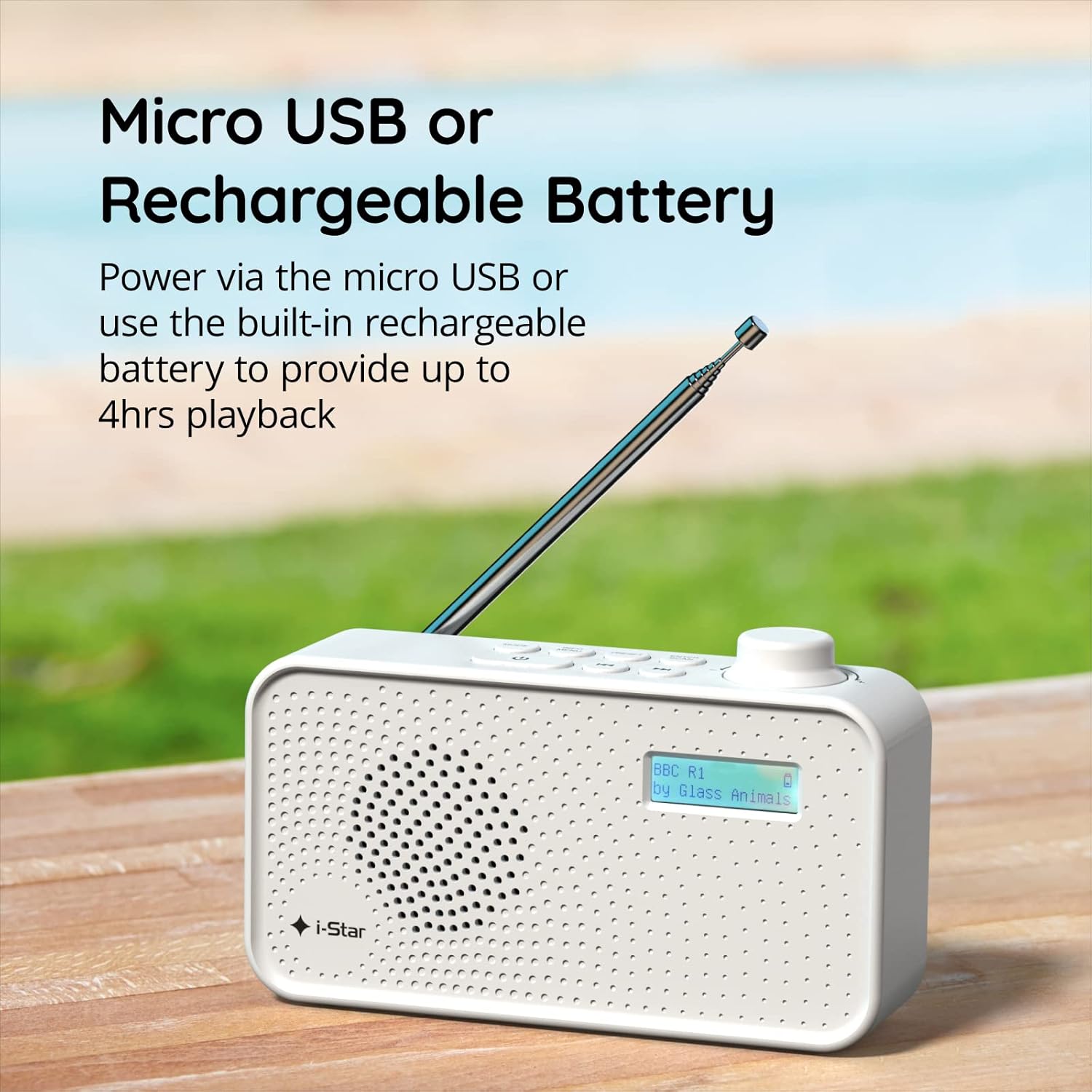
Fíor 2: The radio powered via Micro USB or its built-in rechargeable battery.
2.2 First Power On and Automatic Scan
- Síneadh an t-antenna teileascópach go hiomlán le haghaidh glactha is fearr.
- Brúigh agus coinnigh an CAIGHDEÁNACH cnaipe chun an raidió a chur ar siúl.
- Nuair a chuirtear ar siúl é den chéad uair, déanfaidh an raidió scanadh go huathoibríoch le haghaidh stáisiúin DAB/DAB+ atá ar fáil. D’fhéadfadh sé go dtógfadh an próiseas seo cúpla nóiméad.
- Once the scan is complete, the radio will tune to the first available station.
3. Treoracha Oibriúcháin
3.1 Switching Between DAB/DAB+ and FM Modes
- Brúigh an MODE button repeatedly to switch between DAB/DAB+ and FM radio modes. The current mode will be displayed on the LCD screen.

Fíor 3: The radio supports DAB, DAB+, and FM for a wide range of listening options.
3.2 Stáisiúin Tiúnála
- DAB/DAB+ Mode: Bain úsáid as an Réamhshocrú or TÚN buttons (left/right arrows) to navigate through the list of available stations. Press ENTER / SCAN chun stáisiún a roghnú.
- Mód FM: Brúigh an ENTER / SCAN button to automatically scan for the next available FM station. Alternatively, use the TÚN buttons for manual fine-tuning.
3.3 Réamhshocruithe a Shábháil agus a Athghairm
- Éist leis an stáisiún atá uait.
- Brúigh agus coinnigh an Réamhshocrú button until 'Preset Store' appears on the display.
- Bain úsáid as an TÚN cnaipí chun uimhir réamhshocraithe (1-60) a roghnú.
- Brúigh ENTER / SCAN chun an stáisiún a dheimhniú agus a shábháil.
- Chun stáisiún sábháilte a thabhairt ar ais, brúigh go hachomair an Réamhshocrú cnaipe, ansin bain úsáid as an TÚN buttons to select the desired preset number, and press ENTER / SCAN.
3.4 Rialú Toirt
- Rothlaigh an TOIRT knob (located on the right side) clockwise to increase volume and counter-clockwise to decrease volume.
3.5 Feidhm an Uaineadóra Codlata
- To activate the sleep timer, press the INFO / MENU button repeatedly until 'Sleep' appears.
- Bain úsáid as an TÚN buttons to select the desired sleep duration (e.g., 15, 30, 45, 60, 90 minutes).
- Brúigh ENTER / SCAN to confirm. The radio will automatically turn off after the set time.

Fíor 4: The sleep timer feature allows the radio to automatically switch off after a set period.
3.6 Headphone Listening
- Connect standard 3.5mm headphones (not included) to the headphone jack located on the side of the radio for private listening. The internal speaker will be muted automatically.

Fíor 5: Connect headphones for personal listening without disturbing others.
4. Cothabháil
4.1 Cúram Ginearálta
- Keep the radio away from direct sunlight, heat sources, and moisture.
- Seachain an raidió a ligean titim ná a chur faoi thionchair láidre.
- Do not attempt to disassemble the radio; this will void the warranty.
4.2 Glanadh
- Glan taobh amuigh an raidió le héadach bog, tirim.
- Ná húsáid glantóirí scríobacha, céirithe ná tuaslagóirí mar d’fhéadfadh siad damáiste a dhéanamh don chríoch.
5. Fabhtcheartú
- Gan Cumhacht: Ensure the radio is charged or connected to a power source via the USB cable. Check if the STANDBY button has been pressed.
- Gan Fuaim: Check the volume level. Ensure headphones are not connected if you intend to use the speaker.
- Poor Reception (DAB/DAB+ or FM): Fully extend the telescopic antenna. Try repositioning the radio. Perform a full scan for DAB/DAB+ stations. In FM mode, try manual tuning.
- Radio Freezes/Unresponsive: Turn the radio off and on again. If the issue persists, allow the battery to fully discharge and then recharge it.
6. Sonraíochtaí
| Gné | Sonraíocht |
|---|---|
| Branda | i-réalta |
| Uimhir Mhúnla | 90059PI |
| Dath | Bán |
| Bandaí Raidió Tacaithe | DAB, DAB+, FM |
| Teicneolaíocht Tiúnála | Digital (DAB/DAB+), Analog (FM) |
| Nascacht | USB (for charging), 3.5mm Headphone Jack |
| Foinse Cumhachta | Rechargeable Lithium-ion Battery (1200 mAh), USB Power |
| Saol Battery | Suas le 4 uair an chloig (ar aon mhuirear amháin) |
| Gnéithe Speisialta | Portable, Sleep Timer, 60 Station Presets |
| Comhpháirteanna San áireamh | USB Charging Cable, User Manual |
| Meáchan Mír | 440 gram |
7. Barántas agus Tacaíocht
This product is covered by a standard manufacturer's warranty. Please refer to the warranty card included in your packaging for specific terms and conditions. For technical support, troubleshooting assistance, or warranty claims, please contact your retailer or the i-Star customer service department. Contact details can typically be found on the product packaging or the official i-Star websuíomh.