
Apple AirPods Pro
Apple AirPods Pro Wireless Earbuds User Manual
Réamhrá
Welcome to your Apple AirPods Pro. These advanced wireless earbuds offer Active Noise Cancellation, Transparency Mode, and adaptive equalization for an immersive audio experience. This manual provides essential information for setting up, operating, maintaining, and troubleshooting your device.
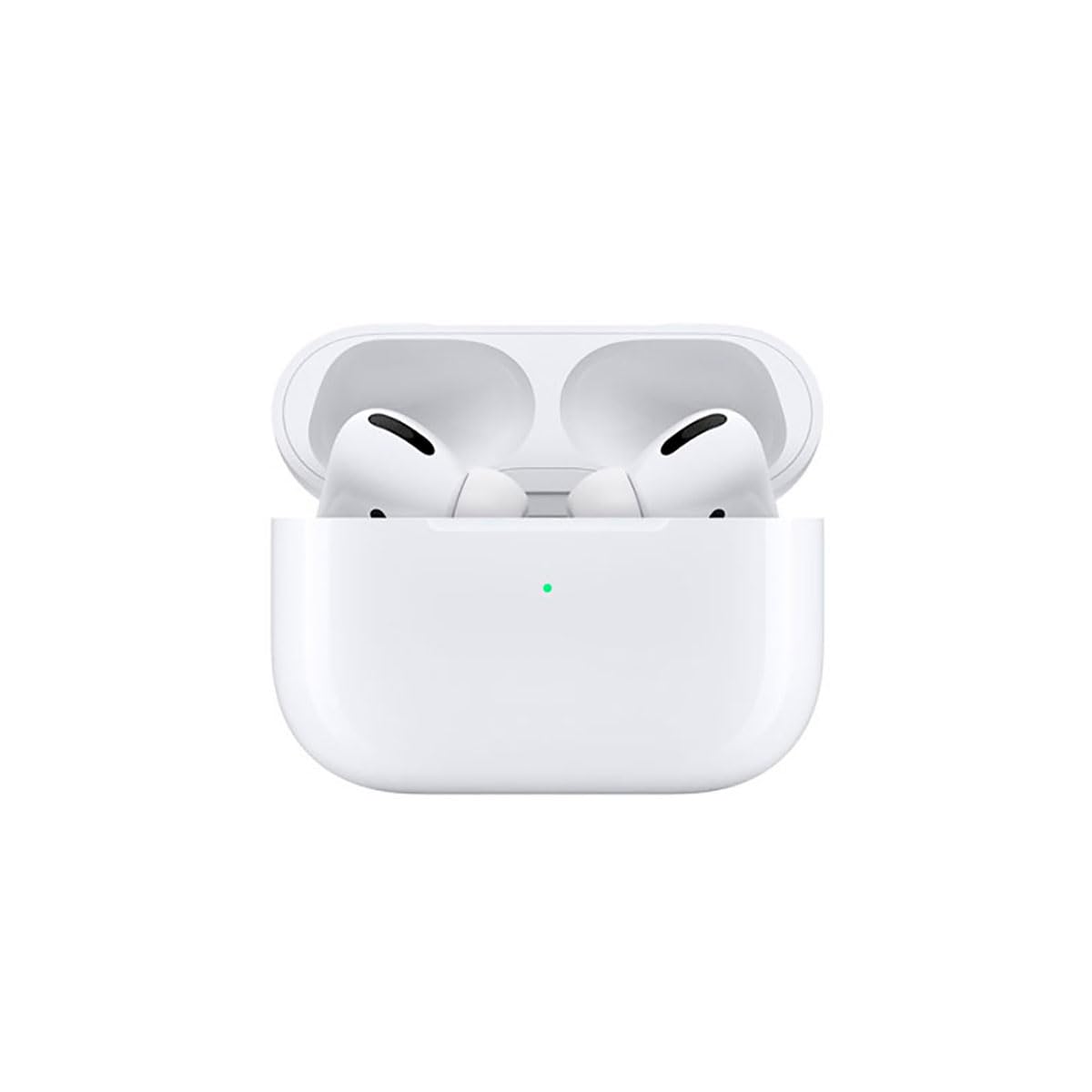
Image: A person wearing Apple AirPods Pro earbuds, demonstrating their use in a daily setting.
1. Ag Tosú
1.1 Unboxing and Charging
Your AirPods Pro come with a Wireless Charging Case, silicone ear tips in three sizes, and a Lightning to USB-C cable.
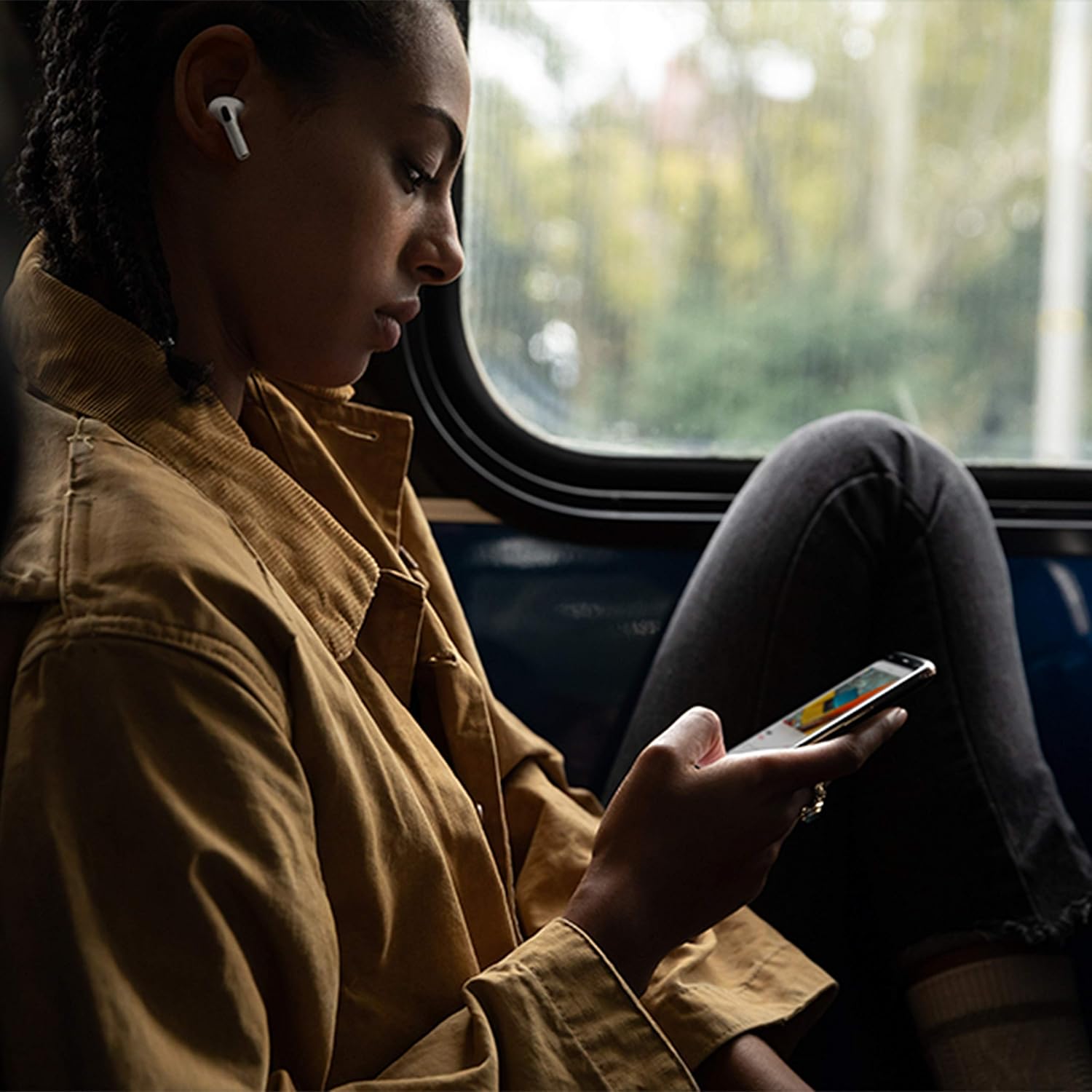
Image: Apple AirPods Pro earbuds inside their wireless charging case, with the status indicator light visible.
Before first use, ensure your AirPods Pro and their charging case are fully charged. Connect the Lightning to USB-C cable to the charging case and a power adapter, or place the case on a Qi-certified wireless charging mat.
1.2 Péireáil le do Ghléas
To pair your AirPods Pro with an Apple device:
- Ensure your Apple device (iPhone, iPad, or iPod touch) is running the latest iOS version.
- Unlock your device and go to the Home screen.
- Open the charging case lid with your AirPods Pro inside, and hold it near your device.
- Beidh beochan socraithe le feiceáil ar scáileán do ghléis. Lean na treoracha ar an scáileán.
- Once connected, your AirPods Pro will automatically pair with all supported devices signed in to your iCloud account.
To pair with a non-Apple device (e.g., Android phone):
- Agus do AirPods Pro sa chás luchtaithe, oscail an clúdach.
- Brúigh agus coinnigh an cnaipe socraithe ar chúl an cháis go dtí go mbeidh an solas stádais bán.
- On your device, go to Bluetooth settings and select "AirPods Pro" from the list of available devices.
1.3 Finding Your Best Fit
Achieving the right fit is crucial for optimal sound quality and Active Noise Cancellation. Your AirPods Pro come with small, medium, and large silicone ear tips.

Íomhá: Dlúth-amharc view of two individual Apple AirPods Pro earbuds, highlighting the silicone ear tips.
- Try each size of ear tip to find the ones that provide the best seal and comfort.
- Ar do iPhone, téigh go dtí Socruithe > Bluetooth, tapáil an deilbhín "i" in aice le d'AirPods Pro, ansin tapáil "Ear Tip Fit Test." Follow the on-screen instructions to check the seal.
2. Using Your AirPods Pro
2.1 Rialuithe
The force sensor on the stem of each AirPod Pro allows you to control audio playback and calls.
- Brúigh uair amháin: Play, pause, or answer a phone call.
- Brúigh faoi dhó: Scipeáil ar aghaidh.
- Brúigh trí huaire: Scipeáil ar ais.
- Brúigh agus coinnigh: Athraigh idir modh Cealaithe Torainn Gníomhach agus Trédhearcacht.
2.2 Active Noise Cancellation and Transparency Mode
Your AirPods Pro offer two primary listening modes:
- Cealú Torainn Gníomhach (ANC): Blocks out external sounds, allowing you to focus on your audio.
- Mód Trédhearcachta: Ligeann sé duit do thimpeallacht a chloisteáil agus tú ag éisteacht le fuaim, rud atá úsáideach le haghaidh feasachta i dtimpeallachtaí gnóthacha.
Switch between these modes by pressing and holding the force sensor on an AirPod stem, or via Control Center on your Apple device.
2.3 Siri Activation
Activate Siri by saying "Hey Siri" or by pressing and holding the force sensor on an AirPod stem (if configured in settings).
2.4 Friotaíocht Uisce agus Allais
AirPods Pro are sweat and water resistant for non-water sports and exercise. They are not waterproof and should not be submerged in water. Resistance may decrease as a result of normal wear.
3. Cúram agus Cothabháil
3.1 Glanadh Do AirPods Pro agus Cás
Regularly clean your AirPods Pro and their charging case to maintain performance and hygiene.
- Wipe the AirPods and case with a soft, dry, lint-free cloth.
- Do not use abrasive materials, sprays, or solvents.
- I gcás leideanna cluaise, bain iad as na AirPods agus sruthlaigh le huisce. Triomaigh go maith sula n-athcheanglaítear iad.
3.2 Faisnéis Battery
The AirPods Pro and charging case contain rechargeable batteries. Battery life is dependent on usage and settings. Over time, the capacity of all rechargeable batteries diminishes. To maximize battery lifespan:
- Seachain teochtaí foircneacha.
- Stóráil in áit fhionnuar, thirim nuair nach bhfuil sé in úsáid.
- Charge regularly, but avoid leaving them fully charged or fully depleted for extended periods.
4. Fabhtcheartú Saincheisteanna Coitianta
4.1 Connection Problems
If your AirPods Pro are not connecting:
- Cinntigh go bhfuil Bluetooth cumasaithe ar do ghléas.
- Place AirPods Pro in the charging case, close the lid, wait 15 seconds, then open the lid.
- If issues persist, try resetting your AirPods Pro: With the lid open, press and hold the setup button on the back of the case for about 15 seconds until the status light flashes amber, then white. Re-pair them with your device.
4.2 Fadhbanna Cáilíochta Fuaime
If you experience poor sound quality or ineffective noise cancellation:
- Ensure ear tips are clean and properly fitted. Perform the Ear Tip Fit Test.
- Check for debris in the speaker mesh.
- Ensure your device's volume is adjusted correctly.
4.3 Fadhbanna Muirir
If your AirPods Pro or case are not charging:
- Verify the Lightning cable is securely connected to both the case and the power adapter.
- If using wireless charging, ensure the case is correctly positioned on the charging mat.
- Glan an port luchtaithe ar an gcás.
5. Sonraíochtaí Táirge
| Gné | Sonraigh |
|---|---|
| Branda | Úll |
| Ainm an tSamhail | Apple AirPods Pro |
| Fachtóir Foirme | In-Chluas |
| Rialú Torainn | Cealú Torainn Gníomhach |
| Teicneolaíocht Nascachta | Bluetooth |
| Teicneolaíocht Cumarsáide Gan Sreang | Bluetooth |
| Dath | Bán |
| Raon Aoise (Cur síos) | Fásta |
5.1 Cad atá sa Bhosca
- AirPods Pro
- Cás Muirearú Gan Sreang
- Silicone Ear Tips (three sizes)
- Tintreach go Cábla USB-C
- Doiciméadúchán
6. Barántas agus Tacaíocht
6.1 Faisnéis Bharántas
Apple AirPods Pro come with a standard limited warranty. For detailed warranty terms and conditions, please refer to the documentation included with your product or visit the official Apple support websuíomh.
6.2 Tacaíocht do Chustaiméirí
For further assistance, technical support, or service, please visit the official Apple Support websuíomh gréasáin nó déan teagmháil dhíreach le seirbhís do chustaiméirí Apple.
Ask a question about this manual
Ask about setup, troubleshooting, compatibility, parts, safety, or missing instructions. Manuals+ will review the question and use this page’s manual context to help answer it.