
Réamhrá
This manual provides detailed instructions for the safe and proper installation and use of your PERLESMITH PSML1-E TV Wall Mount. Please read all instructions carefully before beginning installation. If you have any questions, contact PERLESMITH customer support.
Eolas Sábháilteachta
RABHADH: Failure to read and follow these instructions may result in serious personal injury, property damage, or voiding your warranty. Do not install this product on plasterboard, hollow walls, drywall, or soft walls. Only install on solid concrete walls, brick walls, or solid wood stud walls.
- Cinntigh gur féidir leis an dromchla gléasta meáchan comhcheangailte an ghléasáin agus an teilifíse a iompar go sábháilte.
- Ná sáraigh an acmhainn meáchain uasta de 52 kg (114 lb).
- Tá an gléas gléasta seo deartha do theilifíseáin idir 26 agus 75 orlach.
- Bain úsáid as trealamh sábháilteachta cuí le linn na suiteála, lena n-áirítear cosaint súl.
- Bain úsáid as aimsitheoir stodaí i gcónaí chun stodaí adhmaid a aimsiú go cruinn.
- If you are unsure about any part of the installation, seek professional assistance.

Image: Diagram highlighting the robust construction and 52kg weight capacity of the PERLESMITH TV mount, featuring secure dual hooks and a 3-layer solid steel plate.
Seiceáil Comhoiriúnachta
Before installation, verify the following:
- Méid teilifíse: Your TV must be between 26 and 75 inches.
- Meáchan Teilifíse: Your TV must weigh no more than 52 kg (114 lbs).
- Patrún VESA: Check the four mounting holes on the back of your TV. The VESA pattern (horizontal x vertical) must be within the range of 75x75 mm to 400x400 mm. Compatible VESA patterns include: 75x75, 100x100, 200x100, 200x200, 200x300, 200x400, 300x200, 300x300, 400x200, 400x300, 400x400 mm.
- Cineál Balla: The mount is suitable for solid concrete walls, brick walls, or solid wood stud walls. Do NOT install on plasterboard, hollow walls, drywall, or soft walls.

Image: Diagram illustrating how to check TV VESA pattern, weight, size, and suitable wall types for installation.

Image: VESA compatibility diagram, illustrating the range of VESA patterns supported by the mount, from 75x75mm up to 400x400mm.
Ábhar an Phacáiste
Verify that all components are present and undamaged before proceeding with installation. If any parts are missing or defective, contact PERLESMITH customer support.
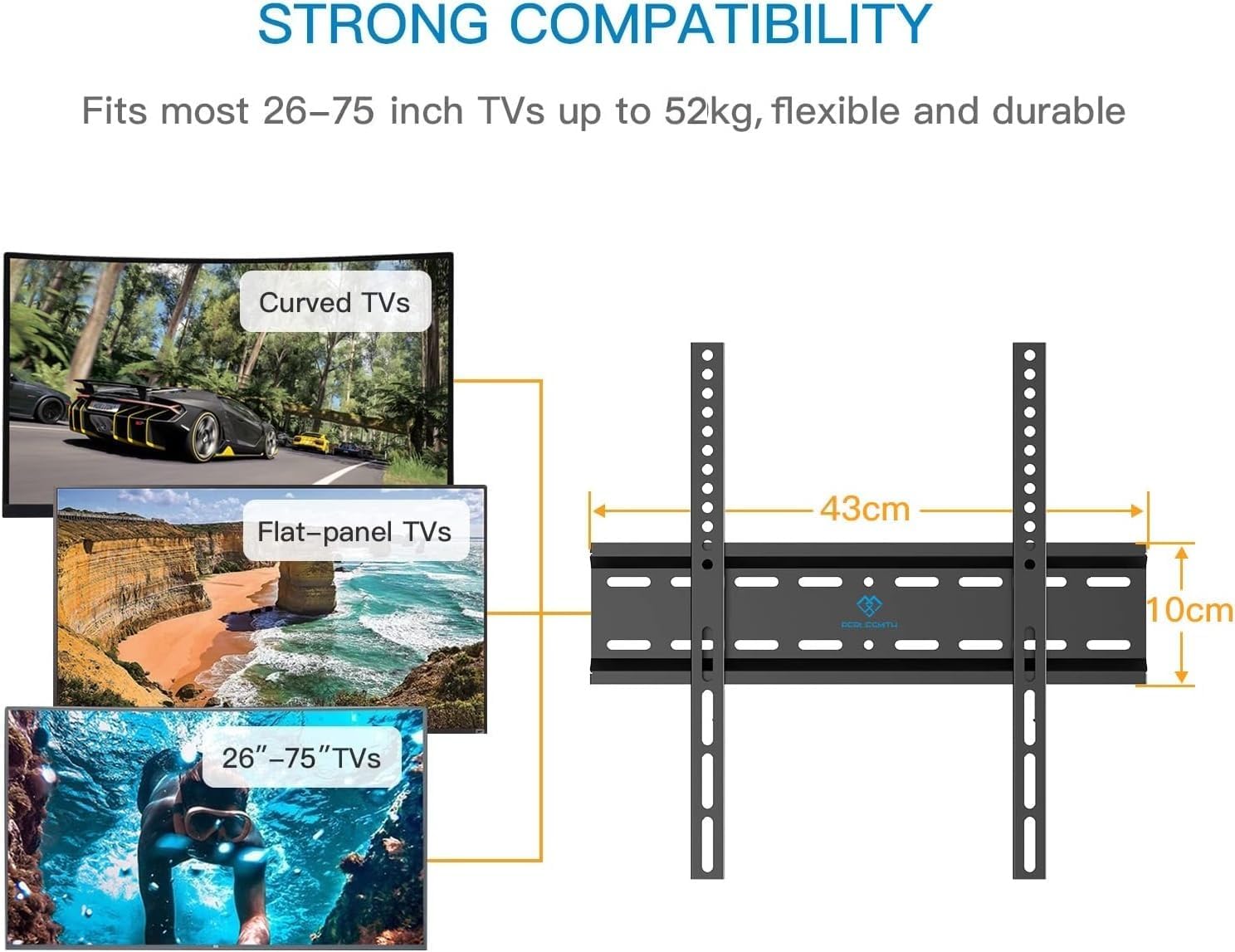
Image: Main components of the PERLESMITH TV Wall Mount, showing the wall plate and the two vertical TV brackets.
Cuimsíonn an pacáiste de ghnáth:
- Pláta Balla
- Lúibíní Teilifíse (2 phíosa)
- Assorted TV Screws (M4, M6, M8)
- Spacers and Washers
- Wall Mounting Hardware (Lag bolts, concrete anchors)
- Level (for some kits)
- Lámhleabhar Treoraithe
Socrú agus Suiteáil
Follow these steps for a secure installation. A quick installation can be completed in approximately 15 minutes with proper tools and preparation.
Céim 1: Ceangail Lúibíní Teilifíse leis an teilifís
- Cuir do theilifís go cúramach agus í aghaidh síos ar dhromchla bog, glan chun scríobtha a chosc.
- Identify the correct diameter and length of screws for your TV's VESA mounting holes. Use spacers if the TV back is uneven or if cables need clearance.
- Attach the two vertical TV brackets to the back of your TV using the selected screws and washers. Ensure the brackets are centered and securely tightened. The hooks on the brackets should face downwards.

Image: Step 1 of the installation process, showing the TV brackets being attached to the back of the television.
Céim 2: Pláta Balla a Shuiteáil ar an mBalla
- Determine the desired height for your TV. Mark the location for the wall plate on the wall.
- For wood stud installation: Use a stud finder to locate the center of the wood studs. Mark the drilling points. Drill pilot holes (recommended size specified in manual, typically 5.5mm/7/32"). Secure the wall plate using lag bolts and washers.
- For concrete/brick wall installation: Use the wall plate as a template to mark drilling points. Drill holes (recommended size specified in manual, typically 10mm/3/8"). Insert concrete anchors into the drilled holes. Secure the wall plate using lag bolts and washers.
- Use a level to ensure the wall plate is perfectly horizontal before tightening all bolts.
Céim 3: Croch an teilifís ar phláta balla
- Le cúnamh, ardaigh an teilifís go cúramach leis na lúibíní ceangailte.
- Align the hooks on the TV brackets with the top edge of the wall plate. Gently lower the TV, ensuring the brackets engage securely with the wall plate.
- Engage the safety locks (if present) on the bottom of the TV brackets to prevent accidental dislodgement.

Image: A person completing the final step of hanging the TV onto the wall mount, illustrating the quick installation process.

Image: Detail of the safety lock mechanism, which secures the TV brackets to the wall plate.

Íomhá: Dlúth-amharc view of the anti-drop design, ensuring the TV remains securely attached to the mount.
Treoracha Oibriúcháin
The PERLESMITH PSML1-E is a fixed TV wall mount. Once installed, the TV will remain in a static position, close to the wall (approximately 30 mm distance). This design provides a sleek, low-profile cuma.

Image: A television mounted on the wall, demonstrating the minimal 30mm distance from the wall for a low-profile cuma.
While the mount is fixed, some models may allow for a slight tilt adjustment up to 8 degrees. Refer to your specific product's features for tilt adjustment capabilities. To adjust, loosen the tilt bolts on the TV brackets, set the desired angle, and re-tighten the bolts securely.
Cothabháil
Regular maintenance ensures the longevity and safety of your TV wall mount.
- Cigireacht Thréimhsiúil: Annually check all screws and bolts to ensure they remain tight. Re-tighten if necessary.
- Glanadh: Cuimil an gléas le héadach bog tirim. Seachain glantóirí scríobacha nó tuaslagóirí.
- Seiceáil Damáiste: Inspect the mount for any signs of wear, corrosion, or damage. If damage is found, do not use the mount and contact customer support.
Fabhtcheartú
| Fadhb | Cúis Féideartha | Réiteach |
|---|---|---|
| Níl an teilifís cothrom tar éis a suiteála. | Pláta balla gan a bheith cothrom le linn suiteála. | Carefully remove the TV. Loosen the wall plate bolts, adjust with a level, and re-tighten. Re-hang the TV. |
| Ní oireann an teilifís don ghléas. | Patrún VESA nó méid/meáchan teilifíse mícheart. | Verify TV specifications against the mount's compatibility (VESA, size, weight). Ensure correct screws and spacers are used. |
| Mothaíonn an sliabh éagobhsaí. | Improper wall installation or loose fasteners. | Immediately remove the TV. Re-check all wall mounting bolts and TV bracket screws for tightness. Ensure installation on a suitable wall type (solid concrete, brick, or wood stud). If unsure, consult a professional. |
| Cables are pinched or difficult to connect. | Insufficient space between TV and wall. | Ensure spacers are used if needed to provide adequate clearance for cables. Re-route cables carefully. |
Sonraíochtaí
- Múnla: PSML1-E
- Branda: PERLESMITH
- Ábhar: Cruach Cóimhiotail
- Dath: Dubh
- Cineál Suiteála: Wall Mount
- Cineál Gluaiseachta: Seasta
- Méideanna Teilifíse Comhoiriúnacha: 26 - 75 orlach
- Cumas Meáchan uasta: 52 kg (114 lb)
- Comhoiriúnacht VESA: 75x75mm, 100x100mm, 200x100mm, 200x200mm, 200x300mm, 200x400mm, 300x200mm, 300x300mm, 400x200mm, 400x300mm, 400x400mm
- Fad ón mBalla: Thart ar 30 mm
- Uillinn tilt uasta: 8 Degrees (if applicable to specific unit)
- Meáchan Mír: 1.12 cileagram
- Toisí Pacáiste: 43.7 x 11.3 x 4.9 cm
- UPC: 713721601516
Barántas agus Tacaíocht
PERLESMITH products are designed for durability and reliability. For warranty information or technical support, please refer to the contact details provided with your purchase or visit the official PERLESMITH websuíomh. Coinnigh d’admháil ceannaigh mar chruthúnas ceannaigh le haghaidh éilimh bharántais.


