
1. Réamhrá
The PNI IP930W is a 1080P 2MP wireless P2P PTZ IP surveillance camera designed for indoor use. It offers comprehensive monitoring capabilities with its pan-tilt-zoom functionality, two-way audio, motion detection, and advanced night vision. This manual provides detailed instructions for setting up, operating, and maintaining your camera to ensure optimal performance and security.
2. Ábhar Pacáiste
Before proceeding with the installation, please verify that all items listed below are present in your package.
- PNI IP930W Camera
- Cuibheoir Cumhachta (5V/1A)
- Lúibín Gléasta
- Lámhleabhar Úsáideora
- Scriúnna Gléasta
- Cábla Cumhachta

Image: Contents of the PNI IP930W package, including the camera, power adapter, USB cable, mounting bracket, and user manual.
3. Táirge Tharview
Familiarize yourself with the camera's components and interfaces.
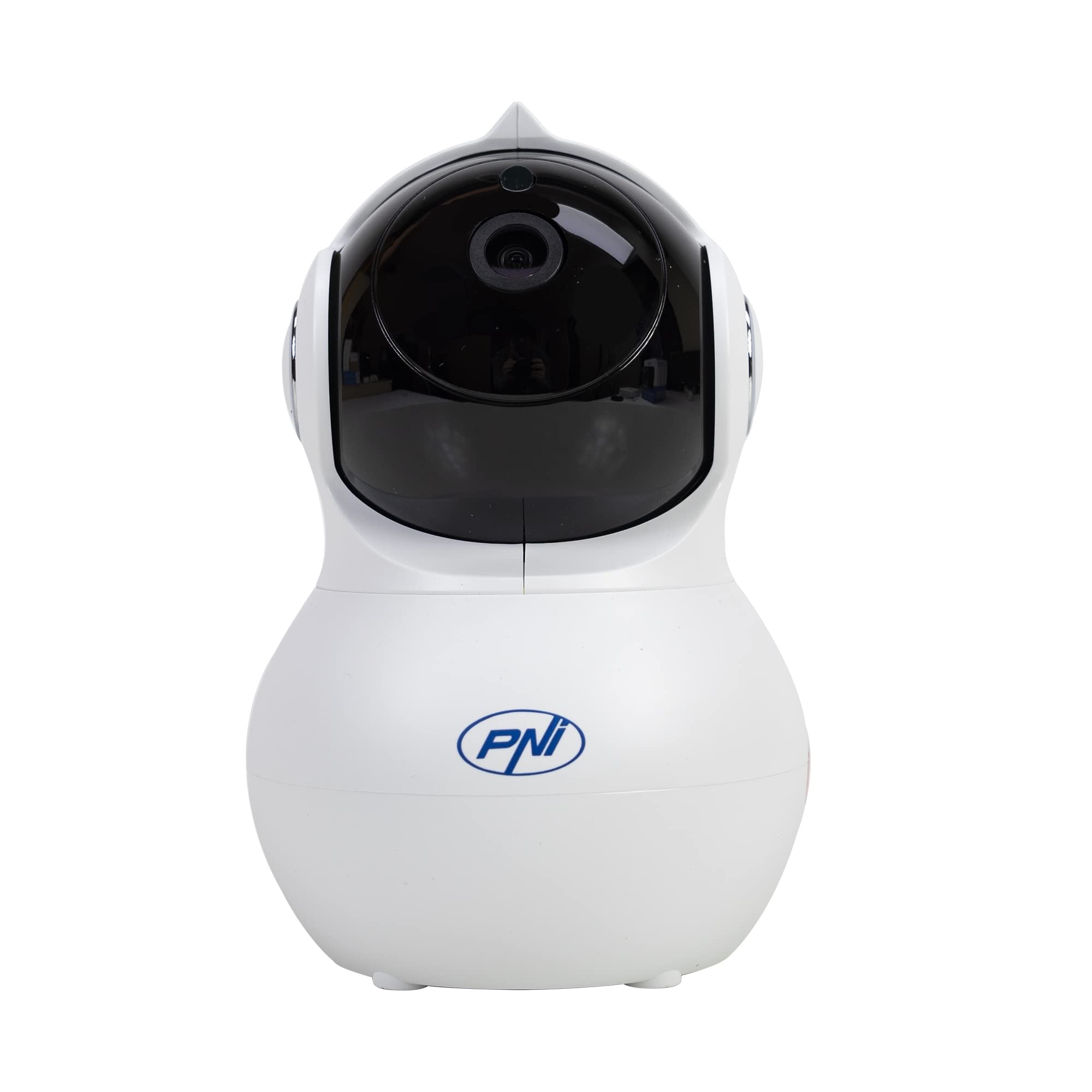
Íomhá: Tosaigh view of the PNI IP930W surveillance camera, showing its dome shape and lens.

Íomhá: Mionsonraithe view of the PNI IP930W camera with labels pointing to the Reset Button, TF Card Slot, DC Interface (power), and LAN Interface (Ethernet port.

Íomhá: Bun view of the PNI IP930W camera, showing the mounting points, product label with model number, QR code, and power specifications.
4. Treoracha Socraithe
4.1. Cumhachtú Ar an gCeamara
- Connect the provided power cable to the DC Interface on the camera.
- Plugáil an cuibheoir cumhachta isteach in asraon caighdeánach leictreach.
- The camera will power on and initiate its self-test sequence.
4.2. Ceangal Líonra
The PNI IP930W supports both wireless (Wi-Fi) and wired (Ethernet) connections.
Wireless Connection (Recommended)
- Download the "Yi IOT" application from your mobile device's app store (iOS or Android).
- Cláraigh cuntas agus logáil isteach.
- Follow the in-app instructions to add your camera. This typically involves scanning a QR code on the camera or connecting to a temporary Wi-Fi hotspot created by the camera.
- Roghnaigh do líonra Wi-Fi baile agus cuir isteach an focal faire.
- Wait for the camera to connect to your Wi-Fi network.
Ceangal Wired
- Connect an Ethernet cable from your router to the LAN Interface on the camera.
- Follow the in-app instructions in the "Yi IOT" application to add your camera. The app should detect the camera automatically on the local network.
4.3. Suiteáil Cárta MicroSD (Roghnach)
The camera supports a MicroSD card up to 64GB for local video storage.
- Locate the TF Card Slot on the camera (refer to Product Overview íomha).
- Gently insert the MicroSD card into the slot until it clicks into place.
- Format the MicroSD card via the "Yi IOT" app settings for proper functionality.
4.4. Gléasta an Cheamara
The camera can be placed on a flat surface or mounted to a ceiling or wall using the provided bracket and screws.

Image: The PNI IP930W camera mounted upside down on a ceiling using its bracket, demonstrating flexible installation options.
- Choose a suitable indoor location for optimal viewing.
- Attach the mounting bracket to the desired surface using the mounting screws.
- Ceangail an ceamara go daingean leis an lúibín gléasta.
- Adjust the camera's orientation as needed.
5. Treoracha Oibriúcháin
5.1. Beo View agus Rialú PTZ
- Open the "Yi IOT" app and select your camera.
- Beidh an fotha físe beo le feiceáil.
- Use the on-screen controls to pan (horizontal 355°) and tilt (vertical 155°) the camera lens to adjust the viewuillinn ing.
5.2. Fuaim Dhá Bhealach
- Le linn beo view, tap the microphone icon in the app to speak through the camera's built-in speaker.
- The camera's built-in microphone will capture audio from the environment.
5.3. Brath Gluaiseachta agus Foláirimh
- Enable motion detection in the "Yi IOT" app settings.
- Adjust sensitivity levels as needed.
- When motion is detected, the camera can send alarm notifications to your mobile phone and record a short video clip (e.g., 6 seconds).
5.4. Fís Oíche
- The camera automatically switches to night vision mode in low-light conditions using its 8 infrared LEDs.
- Night vision provides clear black and white video up to 10 meters.
5.5. Video Recording and Storage
- Recordings can be stored locally on the MicroSD card or in the cloud (subscription required).
- Rochtain taifeadta footage through the "Yi IOT" app's playback feature.
6. Cothabháil
- Glanadh: Bain úsáid as éadach bog, tirim chun lionsa agus corp an cheamara a ghlanadh. Seachain glantóirí scríobacha nó tuaslagóirí.
- Nuashonruithe Firmware: Regularly check the "Yi IOT" app for available firmware updates to ensure optimal performance and security.
- Cárta MicroSD: Periodically check the MicroSD card for errors and ensure it has sufficient storage space. Back up important recordings as needed.
7. Fabhtcheartú
| Fadhb | Cúis Féideartha | Réiteach |
|---|---|---|
| Níl an ceamara á chumhachtú | Níl an t-oiriúntóir cumhachta ceangailte nó lochtach; fadhb leis an asraon cumhachta. | Cinntigh go bhfuil an cábla cumhachta ceangailte go daingean. Bain triail as asraon cumhachta eile. Fíoraigh feidhmiúlacht an oiriúnaitheora cumhachta. |
| Ní féidir ceangal le Wi-Fi | Incorrect Wi-Fi password; camera too far from router; Wi-Fi signal interference. | Double-check Wi-Fi password. Move camera closer to the router. Reduce interference from other devices. Ensure router is 2.4GHz compatible. |
| Gan aon bheatha físe san aip | Network connection issue; app malfunction. | Check network connection. Restart camera and app. Re-add camera to the app if necessary. |
| Brath gluaisne nach bhfuil ag obair | Motion detection disabled; sensitivity too low; incorrect detection zone. | Enable motion detection in app settings. Increase sensitivity. Adjust detection zones. |
| Cárta MicroSD gan taifeadadh | Card not inserted correctly; card not formatted; card full or faulty. | Reinsert MicroSD card. Format card via app. Replace card if faulty. |
8. Sonraíochtaí
| Gné | Sonraigh |
|---|---|
| Uimhir Mhúnla | IP930W |
| Braiteoir Íomhá | 1/2.7" |
| Rún Braiteoir | 2 meigibheart |
| Rún Físeáin | 1080P (1920x1080) |
| Cineál Lionsa | f:3.6 mm |
| Illumination Íosta | 0.01 Lux |
| Viewing Uillinn | 80° (Fixed Lens), 360° (PTZ Coverage) |
| Scagaire IR-Gearr | Tá |
| Comhbhrú Físeáin | H.264 |
| Frámaí sa Soicind | 20-25 fss |
| Ionchur Fuaime | Micreafón ionsuite |
| Aschur Fuaime | Cainteoir Insuite |
| Ethernet | 10/100 Mbit/s RJ-45 |
| Nascacht Gan Sreang | Wi-Fi (802.11b / g / n) |
| Slándáil Gan Sreang | Criptiú WEP, WPA, WPA2 |
| Raon Pan/Tilt | Cothrománach: 355°, Ingearach: 155° |
| Toisí (L x W x H) | 20.25 x 12.15 x 11.7 cm |
| Meáchan Glan | 225g |
| Cárta MicroSD Sliotán | Max 64 GB (card not included) |
| Brath Tairisceana | Tá |
| Taifeadadh Físeáin | Local (MicroSD), Cloud (paid) |
| Feidhm Monatóireacht Leanbh | Tá |
| Fad Infridhearg | Suas le 10 m |
| Fógra Aláraim | To mobile phone |
| P2P Support | Tá |
| Iarratas Tiomnaithe | Yi IOT |
| Soláthar Cumhachta Voltage | 5V/1A |
| Tomhaltas Cumhachta | 5W |
| Teocht Oibriúcháin | -26°C ~ +80°C |
| Taise Oibriúcháin | 20% -85% (neamh-chomhdhlúthú) |
| Timpeallacht Úsáide | Laistigh |
| Rátáil IP | IP66 |
9. Barántas agus Tacaíocht
For warranty information, please refer to the documentation provided with your purchase or contact your retailer.
For technical support, please visit the official PNI website or contact their customer service. The dedicated "Yi IOT" application also provides support resources and FAQs.

Image: An image indicating PNI technical support, showing tools and a multimeter, suggesting repair and service capabilities.