
Réamhrá
This manual provides essential instructions for the safe operation, setup, and maintenance of your Protocol Director HD Foldable Drone. Please read this manual thoroughly before operating the drone to ensure proper function and to prevent damage or injury.
The Protocol Director HD is a foldable drone equipped with a live streaming HD camera, designed for capturing aerial video and photos. It features an intuitive 2.4 GHz remote control, an altitude sensor for stable flight, and a free downloadable app for enhanced camera control and flight path drawing.
Réamhchúraimí Sábháilteachta
- Oibrigh an drón i gcónaí i limistéir oscailte, gan bhac, ar shiúl ó dhaoine, ainmhithe agus constaicí.
- Do not operate near airports, restricted airspace, or sensitive facilities.
- Coinnigh achar sábháilte ó línte cumhachta, crainn agus uiscebhealaí.
- Ensure all propellers are securely attached and undamaged before each flight.
- Ná heitil i ngaoth láidir ná i ndálaí drochaimsire.
- Coinnigh méara agus gruaig ar shiúl ó liáin rothlacha.
- Adult supervision is recommended for users under 18 years of age. Recommended age for operation is 14 years and up.
- Only use original Protocol replacement parts and accessories.
- Do not attempt to modify the drone or its components.
- Turn off the drone and remote control when not in use.
Ábhar an Phacáiste
Deimhnigh go bhfuil na míreanna uile i láthair sa phacáiste:
- Protocol Director HD Foldable Drone with Camera
- Remote Control with Phone Mount
- Cábla Muirearú USB
- 2 x Drone Batteries
- Mála Taistil
- Lámhleabhar Treoracha (an doiciméad seo)
- Spare Parts: Blades, Screwdriver

Image: The Protocol Director HD Foldable Drone, showcasing its compact design with propellers extended and camera visible at the front.
Socrú
1. Ag Muirearú Ceallraí an Dróin
- Insert one of the drone batteries into the USB charging cable.
- Connect the USB charging cable to a USB power source (e.g., computer USB port, USB wall adapter).
- The charging indicator light on the USB cable will illuminate during charging and turn off when fully charged.
- De ghnáth tógann muirearú thart ar 60-90 nóiméad. Ná ró-mhuirearú.
2. Suiteáil Cadhnraí Cianrialaithe
- Oscail an urrann ceallraí ar chúl an chianrialtáin.
- Cuir isteach 4 chadhnraí AA (nach bhfuil san áireamh), ag cinntiú go bhfuil an polaraíocht cheart (+/-).
- Dún an urrann ceallraí go daingean.

Image: The drone's remote control with a smartphone securely mounted, displaying a live feed from the drone's camera.
3. An Drón a Dhífhillteáil
- Gently unfold each of the four rotor arms until they click into place.
- Ensure all arms are fully extended and locked before flight.
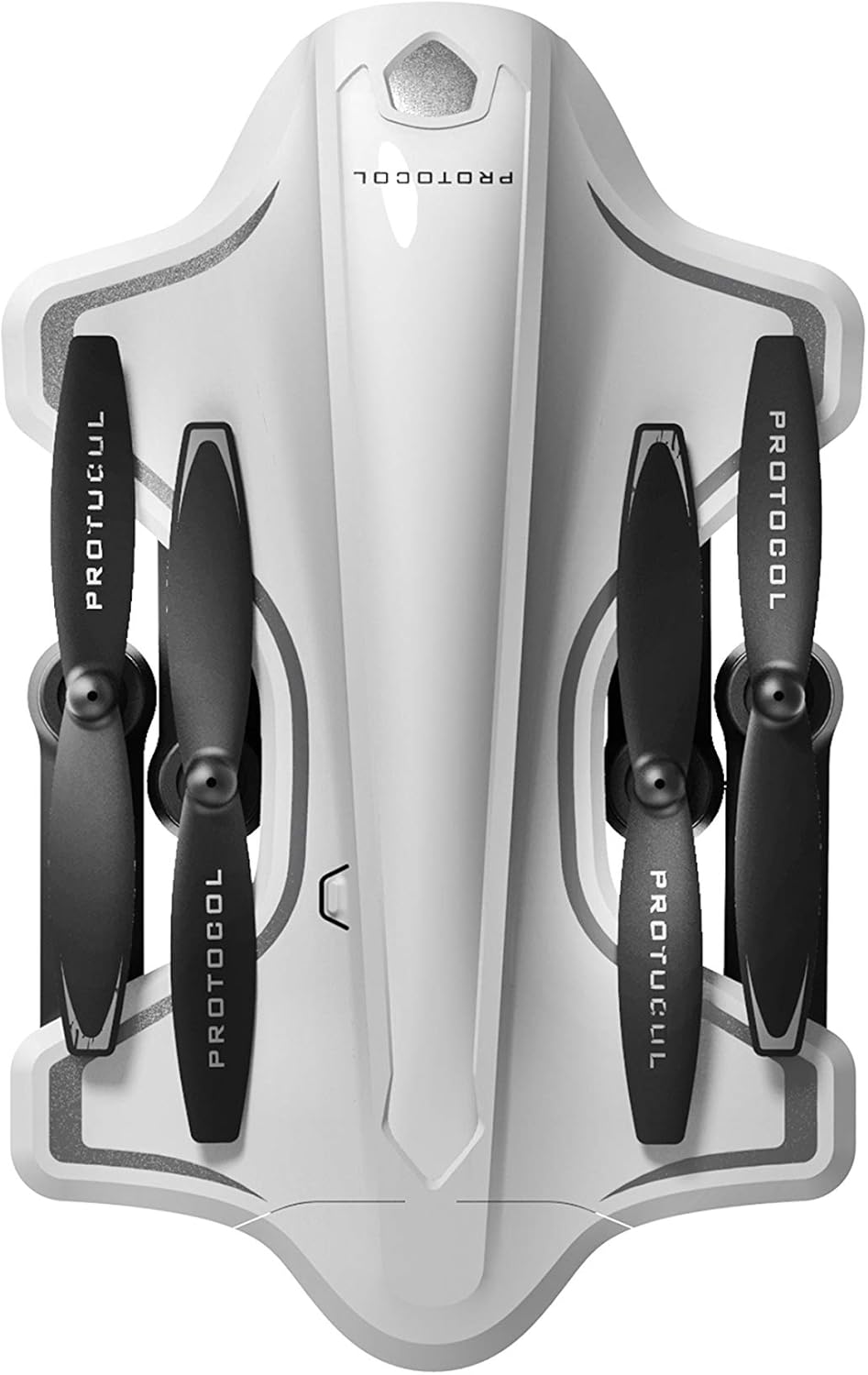
Image: The Protocol Director HD Foldable Drone in its compact, folded configuration, ready for transport.
4. Installing the Drone Battery
- Aimsigh urrann na ceallraí ar an drón.
- Insert the fully charged drone battery, ensuring it is securely seated.
- Dún an clúdach urrann ceallraí.
5. Downloading the App (Optional for Camera Features)
- Cuardaigh le haghaidh the "Protocol Director HD" app in your smartphone's app store (iOS or Android).
- Download and install the free application.
- Mount your smartphone onto the remote control's phone mount.
Treoracha Oibriúcháin
1. Cumhachtú agus Péireáil
- Cuir an drone ar dhromchla réidh cothrom.
- Turn on the drone by pressing the power button. The drone's lights will flash.
- Cas ar an gcianrialtán.
- Push the left joystick (throttle) all the way up, then all the way down. The drone's lights will become solid, indicating successful pairing.
2. Calabrú an Ghireascóip
After pairing, it is recommended to calibrate the gyroscope for stable flight:
- With the drone on a flat surface, push both joysticks down and to the right simultaneously for a few seconds.
- The drone's lights will flash rapidly and then become solid, indicating calibration is complete.
3. Rialuithe Eitilte Bunúsacha
The Protocol Director HD features auto launch, hover, and land functions due to its altitude sensor.
- Auto Launch: Press the dedicated auto launch button on the remote. The drone will ascend to a stable hovering altitude.
- Throttle (Left Joystick):
- Push up: Increase altitude
- Push down: Decrease altitude
- Push left/right: Rotate drone left/right (yaw)
- Rialú Treorach (Luamhán Luamhán Deas):
- Push up: Fly forward
- Push down: Fly backward
- Push left: Fly left (strafe)
- Push right: Fly right (strafe)
- Auto Land: Press the dedicated auto land button. The drone will slowly descend and land.
- Roghnú Luas: Use the speed button on the remote to cycle through three selectable speeds (low, medium, high).
4. Camera and App Features
Connect your smartphone to the drone's Wi-Fi network (usually named "Protocol_Drone_XXXXXX") to access live streaming and advanced camera functions via the app.
- Sruthú Beo: View the drone's camera feed in real-time on your smartphone.
- Taifeadadh Físe: Initiate and stop video recording (480p resolution) through the app.
- Gabháil Grianghraf: Take still images through the app.
- Multiple Camera Angles: The app supports three different camera angles (Aerial, POV, Selfie) for varied content creation.
- Taifeadadh Fuaime: The app allows for audio recording alongside video.
- Draw Your Own Flight Path: Utilize the app's feature to draw a flight path on your screen, and the drone will follow it.
- VR Capability: The app is VR capable; VR goggles are sold separately.
Cothabháil
- Cigireacht lián: Regularly check propellers for cracks, bends, or damage. Replace any damaged propellers using the provided spare parts and screwdriver.
- Glanadh: Use a soft, dry cloth to clean the drone and remote control. Avoid using liquids or harsh chemicals.
- Cúram Battery:
- Ná ró-mhuirear cadhnraí.
- Stóráil cadhnraí in áit fhionnuar, thirim.
- Remove batteries from the drone and remote control during long periods of non-use.
- Stóráil: Fold the drone arms for compact storage in the provided travel bag when not in use. Store in a cool, dry environment.
Fabhtcheartú
| Fadhb | Cúis Féideartha | Réiteach |
|---|---|---|
| Ní lasann an drón. | Níl an ceallraí luchtaithe nó suiteáilte go mícheart. | Cinntigh go bhfuil an ceallraí luchtaithe go hiomlán agus curtha isteach i gceart. |
| Ní lasann an rialtán cianda. | AA batteries are dead or incorrectly installed. | Replace AA batteries, checking polarity. |
| Ní dhéanann an drón agus an cianrialtán péireáil. | Pairing sequence not followed correctly. | Ensure drone is on, then remote. Push left joystick up then down completely. |
| Sruthlaíonn drón le linn eitilte. | Gyroscope needs calibration; uneven surface at launch. | Land the drone, place on a flat surface, and recalibrate the gyroscope (both joysticks down and right). |
| One propeller does not spin. | Propeller damaged or motor issue. | Check for obstructions. Replace damaged propeller. If issue persists, contact support. |
| No live video feed on smartphone. | Gan ceangal le Wi-Fi an dróin; níl an aip oscailte. | Ensure smartphone is connected to the drone's Wi-Fi network and the app is running. |
Sonraíochtaí
| Branda | Prótacal |
| Ainm an tSamhail | Director HD |
| Uimhir Mhúnla | 6182-7RCHA |
| Toisí (Fillte) | Approximately 4.75 inches (length) |
| Toisí (Sínte) | Approximately 9 inches (length, including blades) |
| Meáchan | 0.94 cileagram (940g) |
| Taifeach Ceamara | 480p (Video Capture) |
| Nascacht | Wi-Fi (for app control and live streaming), 2.4 GHz (for remote control) |
| Cobhsú | 6-axis motion-sensitive auto stabilizers, Altitude sensor |
| Modhanna Luais | Three selectable speeds |
| Ceallraí Drone | Rechargeable (2 included) |
| Ceallraí Cianrialú | 4 x cadhnraí AA (gan áireamh) |
| Ábhar | Plastic (Crash-resistant) |
| Aois Molta | 14 bliana agus os a chionn |
Barántas agus Tacaíocht
For warranty information, technical support, or to purchase replacement parts, please visit the official Protocol websuíomh gréasáin nó déan teagmháil lena roinn seirbhíse do chustaiméirí. Coinnigh d’admháil ceannaigh mar chruthúnas ceannaigh.
Websuíomh: www.protocolny.com (exampan nasc, d'fhéadfadh an nasc iarbhír a bheith éagsúil)
Déan teagmháil le: Refer to the Protocol website for contact details, including phone numbers or email support.