
Táirge Tharview
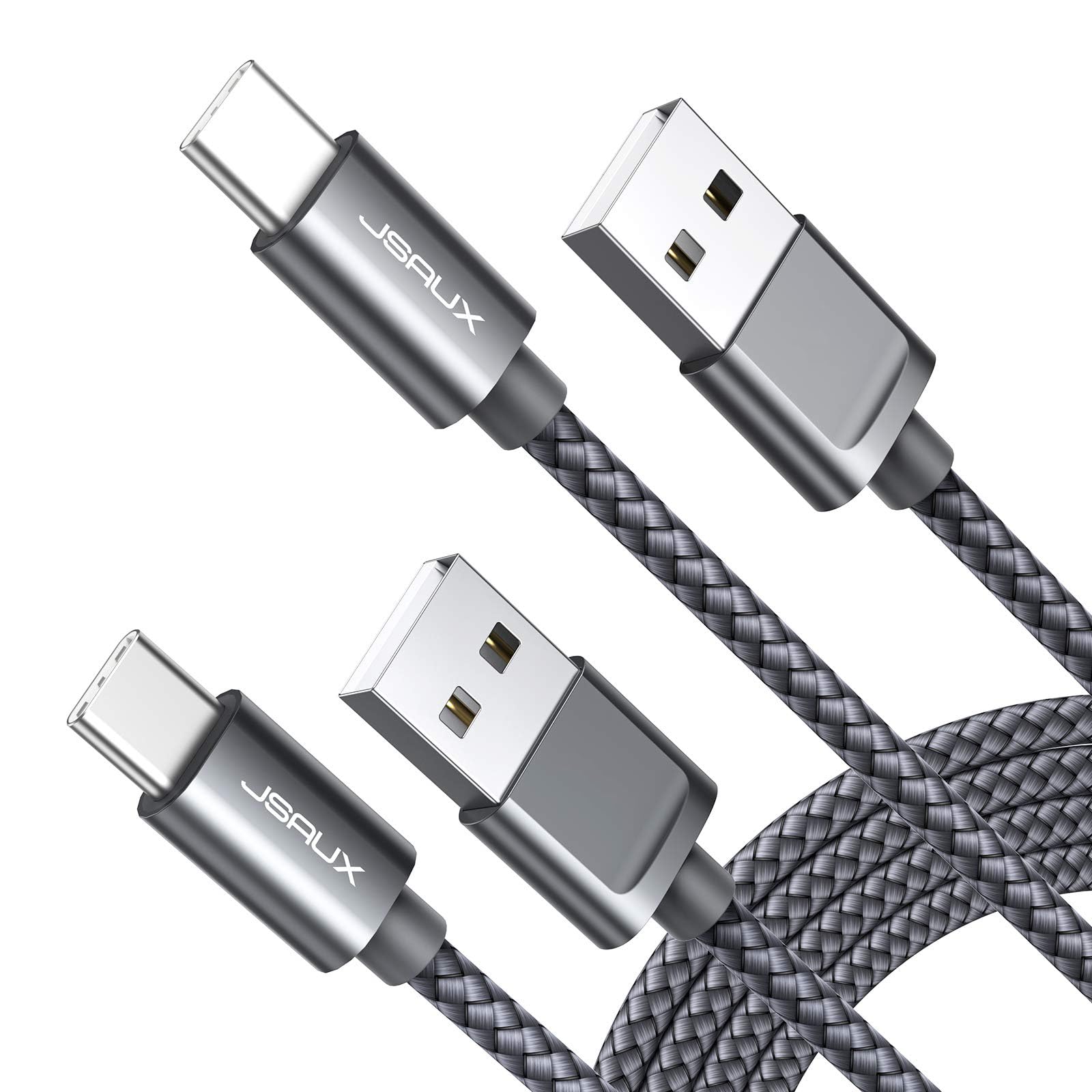
The JSAUX USB Type C to USB A cable is designed for efficient charging and data synchronization across a wide range of compatible devices. This cable features a robust nylon braided exterior and reinforced aluminum connectors, engineered for enhanced durability and longevity. It supports 3A fast charging, delivering power at 5V/3A, which is approximately 25% faster than standard 5V/2.4A cables. Data transfer speeds can reach up to 480Mbps, facilitating quick file sioncronaithe.
The cable is electronically safety certified, ensuring reliable and secure operation. Its construction is designed to withstand over 10,000 bending cycles, minimizing wear and tear. This product is provided as a 2-pack of 10-foot cables, offering ample length and convenience for various usage scenarios.
Príomhghnéithe
- Muirearú Tapa 3A: Delivers 5V/3A power for accelerated charging, up to 25% faster than conventional cables.
- 480Mbps Data Sync: Supports high-speed data transfer for quick file synchronization between devices.
- Marthanacht Feabhsaithe: Constructed with strong nylon fiber and premium aluminum housing, designed to withstand over 10,000 bends and prevent fraying.
- Sábháilteacht Deimhnithe: Features electronic safety certifications to ensure secure and reliable charging.
- Comhoiriúnacht Leathan: Compatible with a broad range of USB-C devices, including Samsung Galaxy S20/S10/S9/S8, iPhone 15/16 series, PS5 wireless controllers, Moto Z/Z2, LG G5/G6/V20/V30, and more.
- Dearadh Gan Tangle: The nylon braided cord resists tangling, making it easy to store and use.
Treoracha Socraithe
- Aithin Calafoirt: Locate the USB-A port on your power adapter, computer, or other charging source, and the USB-C port on your device (e.g., smartphone, tablet, gaming controller).
- Ceangail le Power Source: Insert the USB-A end of the JSAUX cable into the USB-A port of your power adapter or computer. Ensure a secure connection.
- Ceangail le Gléas: Insert the USB-C end of the JSAUX cable into the USB-C port of your device. Ensure it is fully inserted.
- Fíoraigh Ceangal: Your device should indicate that it is charging or connected for data transfer.

Treoracha Oibriúcháin
Do Ghléas á Muirearú
To achieve fast charging, ensure your power adapter supports fast charging protocols (e.g., QC/AFC for Samsung devices) and provides at least 18W output via a USB-A port. Connect the cable as described in the Setup Instructions. The cable will automatically deliver the maximum safe charging current supported by your device and power source.
Aistriú Sonraí
Connect the USB-A end of the cable to a computer or other device with a USB-A port, and the USB-C end to your compatible device. Your computer should recognize the connected device, allowing you to transfer files at speeds up to 480Mbps. Follow your device's operating system instructions for file bainistíochta.

Cothabháil
- Glanadh: Gently wipe the cable and connectors with a dry, soft cloth to remove dust or debris. Avoid using liquid cleaners or abrasive materials.
- Stóráil: When not in use, coil the cable loosely and secure it with the provided cable tie or a similar fastener. Avoid sharp bends or kinks. Store in a cool, dry place away from direct sunlight and extreme temperatures.
- Láimhseáil: Always grasp the connector head when plugging or unplugging the cable. Avoid pulling directly on the cable itself to prevent damage to the internal wiring and connectors.

Fabhtcheartú
| Fadhb | Cúis Féideartha | Réiteach |
|---|---|---|
| Gléas gan luchtú nó ag luchtú go mall |
|
|
| Aistriú sonraí nach bhfuil ag obair |
|
|
| Cable appears frayed or damaged | Caitheamh agus cuimilt fhisiciúil | Discontinue use immediately to prevent potential electrical hazards. Replace the cable. |

Sonraíochtaí
| Gné | Sonraigh |
|---|---|
| Branda | JSAUX |
| Cineál nascóirí | USB Type C (Male) to USB Type A (Male) |
| Cineál Cábla | USB |
| Muirearú Fast | 3A (5V/3A), 15 Watts Max |
| Ráta Aistrithe Sonraí | 480 Mbps (0.48 Gigabits Per Second) |
| Ábhar | Nylon Braided Cord, Aluminum Connectors |
| Fad | 10 Feet (each cable) |
| Dath | Liath |
| Marthanacht | 10,000+ bend test cycles |
| Timpeallacht Úsáide | Laistigh, Amuigh |
| Cainníocht | 2 chábla in aghaidh an phacáiste |
Barántas agus Tacaíocht
JSAUX products are designed for reliability and performance. For warranty information, product support, or to report any issues, please refer to the official JSAUX websuíomh gréasáin nó déan teagmháil dhíreach lena seirbhís do chustaiméirí. Coinnigh d’admháil ceannaigh le haghaidh éilimh bharántais.
Le haghaidh tuilleadh eolais, tabhair cuairt ar an product detail page on Amazon.com.