
Réamhrá
This manual provides detailed instructions for the setup, operation, maintenance, and troubleshooting of your Pabobo Kid Sleep Alarm Clock, model KS0031. Please read this manual thoroughly before using the product to ensure proper function and safety.
The Pabobo Kid Sleep Alarm Clock is designed to help children learn to tell time and establish healthy sleep routines. It features both digital and analog time displays, a visual sleep/wake indicator, and customizable alarm sounds.
Eolas Sábháilteachta
- Coinnigh an gléas ar shiúl ó uisce agus taise.
- Ná nocht do theocht foircneach nó do sholas díreach.
- Ná húsáid ach an cineál ceallraí sonraithe. Cinntigh go bhfuil an polaraíocht cheart agus na ceallraí á gcur isteach agat.
- Coinnigh cadhnraí as teacht leanaí beaga.
- Ná déan iarracht an gléas a dhíchóimeáil ná a dheisiú leat féin. Téigh i dteagmháil leis an bhfoireann tacaíochta má thagann fadhbanna chun cinn.
- Tá an táirge seo beartaithe le húsáid laistigh amháin.
Táirge Tharview
The Pabobo Kid Sleep Alarm Clock combines an analog clock, a digital display, and a visual sleep/wake indicator to assist children in understanding time and sleep cycles.

Fíor 1: Tosaigh view of the Pabobo Kid Sleep Alarm Clock.
Príomhghnéithe:
- Taispeáint Dhá Am: Features both an analog clock face and a digital time display for easy learning.
- Sleep Trainer: A visual indicator (sleeping child / awake child) helps children understand when it's time to sleep and when it's okay to wake up.
- Aláram Forásach: Three selectable alarm sounds (chirping birds, cuckoo, train) that increase in volume.
- Feidhm Snooze: Press the large button on the top for a two-minute snooze and a temporary backlight.
- Solas Oíche: A mini night light emits a reassuring glow.
Socrú
1. Suiteáil Battery
The clock operates on one battery, which is included. To install or replace the battery:
- Aimsigh an urrann ceallraí ar chúl an chloig.
- Oscail an clúdach urrann ceallraí.
- Insert the battery, ensuring correct polarity (+/-).
- Dún an clúdach urrann ceallraí go daingean.

Fíor 2: cúil view with battery compartment and controls.
2. An t-Am a Shocrú
To set the current time on your alarm clock:
- Use the time setting knob (usually located on the back) to adjust the analog hands to the correct time.
- The digital display will synchronize or can be set separately using dedicated buttons (refer to specific button labels on the back, e.g., "SET" buttons).
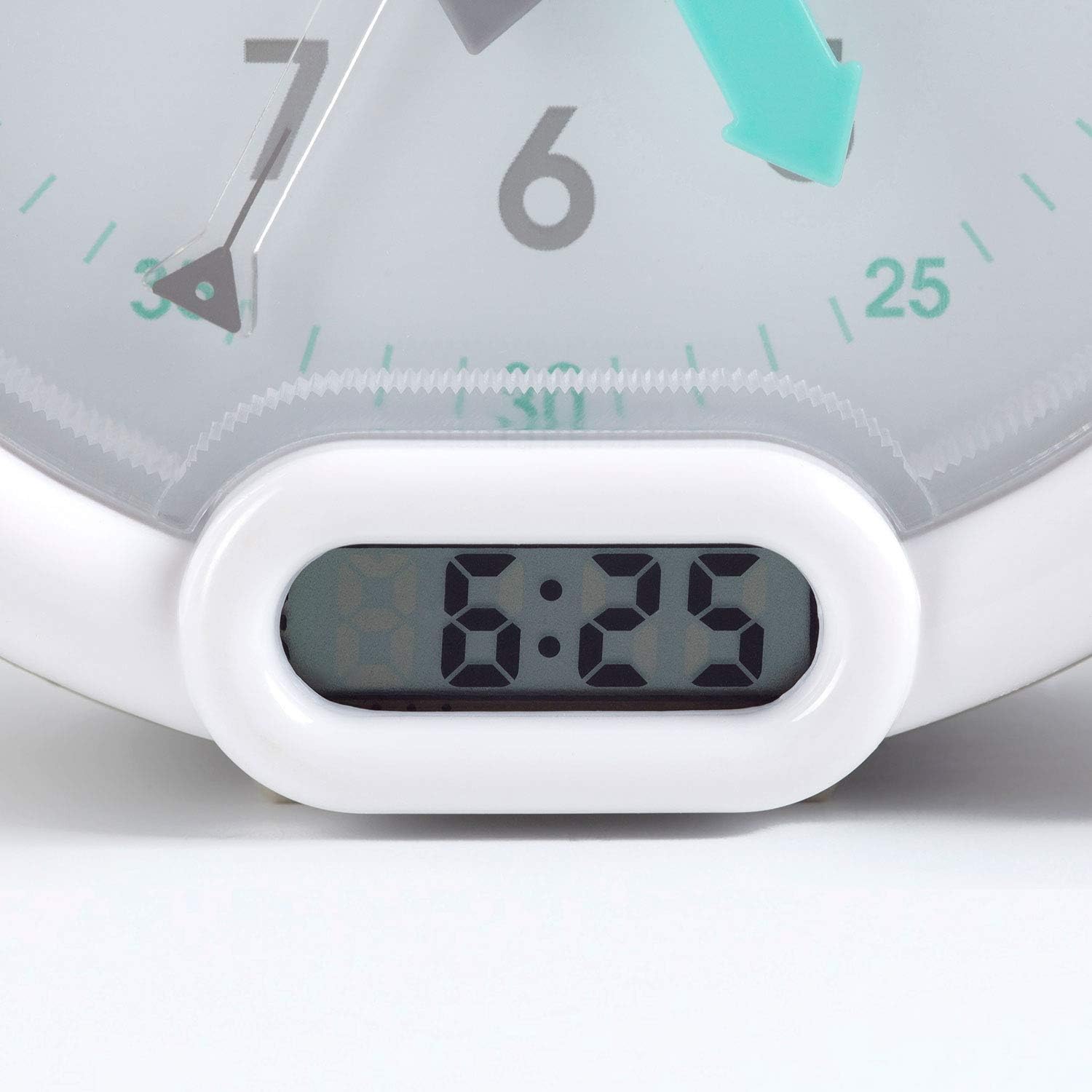
Fíor 3: Digital time display.
Treoracha Oibriúcháin
1. An Aláram a Shocrú
The alarm can be set to one of three sounds: chirping birds, cuckoo, or train. The alarm volume increases progressively.
- Locate the alarm setting controls on the back of the clock.
- Adjust the alarm time using the designated knob or buttons.
- Select your preferred alarm sound using the sound selection switch.
- Ensure the alarm is activated (ON position).
2. Using the Sleep Trainer
The sleep trainer feature visually indicates when it's time to sleep and when it's time to wake up.
- Sleeping Child Lit: When the image of the sleeping child is lit, it indicates that children should remain in bed and continue sleeping.
- Awake Child Lit: When the image of the awake child is lit, it signals that it is time to wake up.

Fíor 4: Sleep indicator (sleeping child).

Fíor 5: Awake indicator (awake child).
The sleep/wake times for this indicator are typically set independently from the alarm time, using specific controls on the back of the clock.
3. Snooze and Backlight Function
Press the large button on the top of the clock to activate the snooze function for two minutes. This button also provides a short glowing light, allowing the child to see the time during the night.

Fíor 6: Clock with backlight activated.
Cothabháil
- Glanadh: Cuimil an clog le héadach bog tirim. Ná húsáid glantóirí scríobacha ná tuaslagóirí.
- Athsholáthar Ceallra: Replace the battery when the display dims or the alarm function becomes unreliable. Dispose of used batteries responsibly.
- Stóráil: Má tá an clog á stóráil ar feadh tréimhse fada, bain an ceallraí chun sceitheadh a chosc.
Fabhtcheartú
| Fadhb | Cúis Féideartha | Réiteach |
|---|---|---|
| Clock not turning on / display blank. | Ceallraí marbh nó suiteáilte go mícheart. | Check battery polarity. Replace battery. |
| Aláram gan fuaim. | Alarm not set or turned off. Low battery. | Ensure alarm is set and activated. Replace battery. |
| Sleep/wake indicator not changing. | Incorrect sleep/wake time settings. | Verify and adjust the sleep/wake indicator settings. |
| Clock makes clicking noise. | Mechanical movement noise (common for analog clocks). | This may be normal for the analog mechanism. If excessively loud or new, contact support. |
Sonraíochtaí
| Branda: | Pabobo |
| Uimhir Mhúnla: | KS0031 |
| Dath: | Liath |
| Cineál Taispeána: | Analógach, Digiteach |
| Toisí Táirge: | 6.3"L x 5.12"A |
| Foinse Cumhachta: | Battery Powered (1 battery included) |
| Ábhar: | Plaisteach |
| Cineál Gléasta: | Gléasta Deisce |
| Meáchan Mír: | 14.1 unsa (0.88 punt) |
| Gné Speisialta: | Adjustable, Backlit, Sleep Trainer |
Faisnéis Bharántas
This Pabobo Kid Sleep Alarm Clock comes with a Barántas Saoil. For details regarding warranty claims and coverage, please refer to the official Pabobo websuíomh nó déan teagmháil le tacaíocht do chustaiméirí.
Tacaíocht do Chustaiméirí
If you encounter any issues or have questions not covered in this manual, please contact Pabobo customer support for assistance.
- Tacaíocht Ar Líne: Visit the official Pabobo websuíomh le haghaidh Ceisteanna Coitianta agus roghanna teagmhála.
- Ríomhphost: [Insert Pabobo Support Email Here, if available]
- Fón: [Insert Pabobo Support Phone Number Here, if available]
Please have your model number (KS0031) and purchase information ready when contacting support.