
1. Réamhrá
The Equinox Qba Body Composition Analyser EQ-EB-iF912B is an advanced personal health device designed to provide comprehensive insights into your body's composition. This analyser measures various key characteristics including weight, body fat percentage, hydration percentage, muscle mass, bone mass, and Body Mass Index (BMI). It also advises on your daily calorie intake requirements. The device features a clear LCD display and seamlessly integrates with the iFittr mobile application via Bluetooth, allowing you to track your health data over time and make informed lifestyle choices.
2. Faisnéis Sábháilteachta
- Ná húsáid an gléas seo má tá luasaire nó gléas leighis inmheánach eile agat.
- Consult your physician before starting any diet or exercise program.
- Keep the device dry. Do not immerse in water or other liquids.
- Place the analyser on a hard, flat surface for accurate measurements. Avoid carpets or uneven floors.
- Do not jump on the scale or use it for purposes other than body composition analysis.
- Coinnigh as teacht leanaí.
- Handle with care. The glass platform can break if dropped or subjected to excessive force.
3. Ábhar Pacáiste
Seiceáil an bosca le do thoil do na míreanna seo a leanas:
- Equinox Qba Body Composition Analyser EQ-EB-iF912B
- Cadhnraí
- Cárta Bharántas
- Lámhleabhar Úsáideora
4. Táirge Tharview agus Gnéithe
The Equinox Qba Body Composition Analyser is designed for ease of use and comprehensive data tracking.
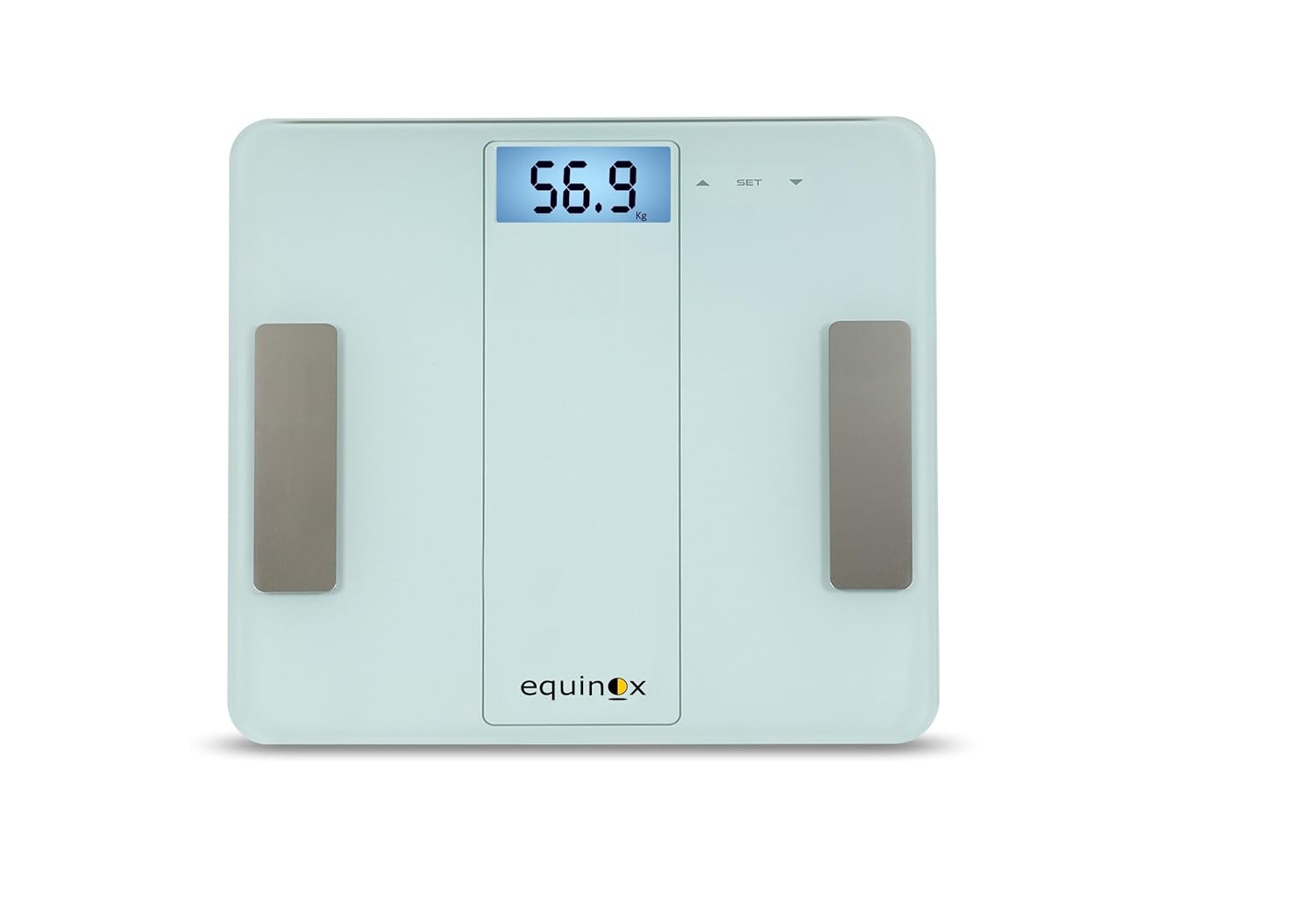
Fíor 4.1: Tosaigh view of the Equinox Qba Body Composition Analyser, showing the digital display and electrode pads.
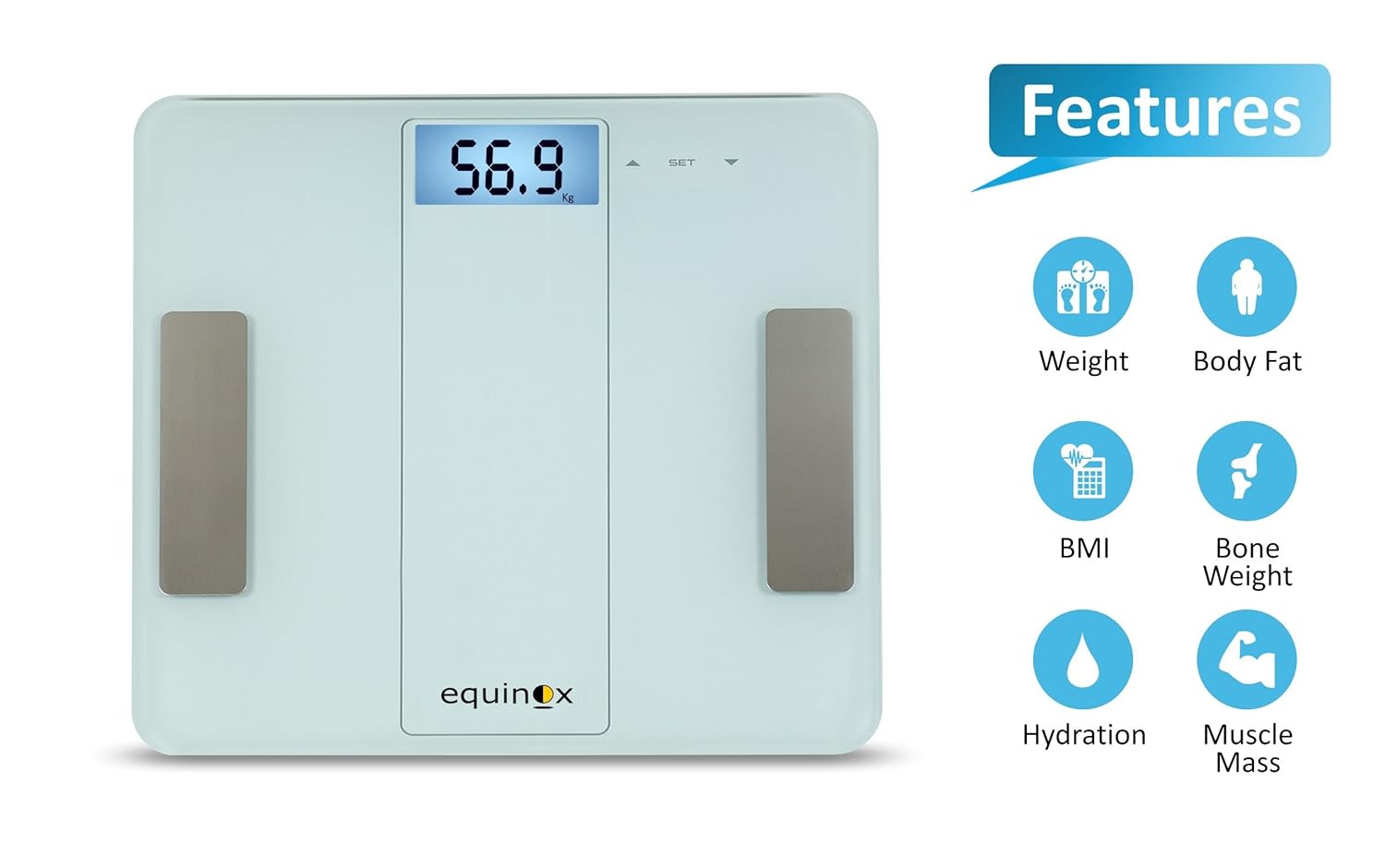
Fíor 4.2: The analyser highlighting its key measurement capabilities: Weight, Body Fat, BMI, Bone Weight, Hydration, and Muscle Mass.

Fíor 4.3: Screenshots demonstrating the iFittr app's interface for pairing, tracking weight trends, and viewing detailed body composition data.
Príomhghnéithe:
- Bluetooth Cumasaithe: For seamless data synchronization with the iFittr app.
- Taispeántas LCD le Soilsiú Cúlra: Soláthraíonn sé tomhais shoiléire agus éasca le léamh.
- Táscairí: Includes low battery, error, overload, low fat, and high fat indicators for user convenience.
- Evaluates Key Body Composition Characteristics: Measures Weight, Body Fat, Hydration, Bone Weight, Muscle Mass, BMI, and advises on Daily Calorie Intake.
- iFittr App Synchronization: Keeps a comprehensive record of your day-to-day measurements for long-term tracking.
5. Socrú
5.1. Suiteáil Battery
- Locate the battery compartment on the underside of the analyser.
- Oscail an clúdach urrann ceallraí.
- Insert the provided batteries, ensuring correct polarity (+/-) as indicated inside the compartment.
- Dún an clúdach urrann ceallraí go daingean.
5.2. Socrúchán Tosaigh
Place the Equinox Qba Body Composition Analyser on a firm, flat, and stable surface. Avoid placing it on soft surfaces like carpets, rugs, or uneven flooring, as this can affect measurement accuracy.
5.3. iFittr App Download and Pairing
- Download the 'iFittr' app from your smartphone's app store (Google Play Store for Android or Apple App Store for iOS).
- Open the iFittr app and follow the on-screen instructions to create your user profile. You will need to enter personal details such as age, gender, height, and activity level for accurate body composition calculations.
- Cinntigh go bhfuil Bluetooth cumasaithe ar do ghuthán cliste.
- Step onto the analyser to activate it. The display will light up.
- Within the iFittr app, navigate to the device pairing section. The app should automatically detect the Equinox Qba Analyser.
- Confirm the pairing within the app. Once paired, your measurements will automatically sync to your profile.
6. Treoracha Oibriúcháin
6.1. Tomhas a Dhéanamh
- Ensure the analyser is on a flat, hard surface.
- Step onto the analyser with bare, dry feet. Ensure your feet are positioned on the metal electrode pads.
- Stand still and balanced on the analyser. The display will show your weight first, then cycle through other body composition metrics.
- Wait for the display to stabilize and show all measurements. If connected to the iFittr app, the data will automatically transfer.
- Step off the analyser. It will automatically turn off after a few seconds of inactivity.
6.2. Tuiscint a fháil ar an Taispeántas
The LCD display will show your measurements in sequence. Common indicators include:
- Meáchan: Displayed in kilograms (kg) or pounds (lb).
- Fat%: Percen Saill Comhlachttage.
- Hydration%: Céatadán Uisce Coirptage.
- Muscle%: Percen Aifreann Muscletage.
- Bone%: Percen Aifreann Cnámhtage.
- BMI: Innéacs Mais Choirp.
- CAL: Estimated Daily Calorie Intake.
Refer to the iFittr app for a more detailed breakdown and interpretation of these metrics.
7. iFittr App Integration
The iFittr app is crucial for maximizing the utility of your Equinox Qba Analyser. It allows you to:
- Rian Dul Chun Cinn: View historical data for all measured parameters over days, weeks, or months.
- Set Goals: Establish personal health goals and monitor your progress towards them.
- Úsáideoir Profiles: Cruthaigh il-úsáideoir profiles within the app, allowing different family members to track their individual data.
- Anailís Sonraí: The app provides graphical representations and insights into your body composition trends.
Ensure your app is open and Bluetooth is active on your phone when taking measurements for automatic synchronization.
8. Cothabháil agus Cúram
8.1. Glanadh
Wipe the surface of the analyser with a soft, damp cloth. Do not use abrasive cleaners or immerse the device in water. Ensure the surface is dry before storage or next use.
8.2. Stóráil
Store the analyser in a cool, dry place, away from direct sunlight and extreme temperatures. Avoid placing heavy objects on the analyser.
8.3. Athsholáthar Ceallraí
If the low battery indicator appears on the display, replace all batteries with new ones of the same type. Ensure correct polarity during installation.
9. Fabhtcheartú
| Fadhb | Cúis Féideartha | Réiteach |
|---|---|---|
| Analyser does not turn on. | Tá cadhnraí marbh nó suiteáilte go mícheart. | Seiceáil polaraíocht na gceallraí nó cuir cadhnraí nua ina n-áit. |
| Léamha míchruinne nó neamhréire. | Analyser on uneven surface; feet not bare/dry; movement during measurement; calibration needed. | Place on hard, flat surface. Ensure bare, dry feet on electrodes. Stand still. Step off and on again to re-calibrate. |
| Battery drains quickly (e.g., in 10 days). | Faulty batteries; continuous power draw; environmental factors. | Try a different brand of high-quality batteries. Ensure analyser turns off completely after use. If problem persists, contact customer support. |
| No data syncs to iFittr app. | Bluetooth off; app not open; analyser not paired; app issues. | Ensure Bluetooth is on. Open iFittr app before measurement. Re-pair the device if necessary. Restart app/phone. |
| Error message on display (e.g., 'Err', 'OL'). | Overload (weight exceeds max capacity); internal error. | Ensure weight is within 180 kg limit. Step off and on again. If error persists, contact customer support. |
10. Sonraíochtaí
| Sonraíocht | Sonraigh |
|---|---|
| Uimhir Mhúnla | EQ-EB-iF912B |
| Monaróir | Eachroim |
| Toisí Táirge | 30 x 30 x 3 cm |
| Meáchan Mír | 1.55 kg (1 kg 560 g) |
| Cumas Uasta | 180 kg (as per product description) |
| Cineál Taispeána | LCD le Backlight |
| Nascacht | Bluetooth |
| Tomhais | Weight, Body Fat, Hydration, Bone Weight, Muscle Mass, BMI, Daily Calorie Intake |
11. Barántas agus Tacaíocht
11.1. Faisnéis Bharántas
The Equinox Qba Body Composition Analyser EQ-EB-iF912B comes with an Barántas 18 mhí ó dháta an cheannaigh. Coinnigh d’admháil ceannaigh le haghaidh éilimh bharántais.
11.2. Tacaíocht do Chustaiméirí
In case of any issues, queries, or technical support requirements, please contact Equinox customer care:
- Ríomhphost: support@equinox-india.com
- Fón: 011-46051516