
1. Réamhrá
This instruction manual provides essential information for the safe and efficient operation of your Nuwave Pro Plus Infrared Oven. Please read all instructions thoroughly before initial use to ensure proper function and to prevent injury or damage. Keep this manual for future reference.
2. Treoracha Tábhachtacha Sábháilteachta
Agus fearais leictreacha á n-úsáid, ba cheart réamhchúraimí sábháilteachta bunúsacha a leanúint i gcónaí chun an baol dóiteáin, turrainge leictrigh agus gortaithe do dhaoine a laghdú, lena n-áirítear na nithe seo a leanas:
- Léigh na treoracha go léir sula n-oibríonn tú an fearas.
- Ná déan teagmháil le dromchlaí te. Úsáid lámha nó snaidhmeanna.
- Chun turraing leictreach a sheachaint, ná cuir an corda, na plocóidí ná an fearas in uisce ná i leacht eile.
- Tá géar-mhaoirseacht riachtanach nuair a bhíonn aon fhearas in úsáid ag leanaí nó in aice leo.
- Díphlugáil ón asraon nuair nach bhfuil sé in úsáid agus roimh ghlanadh. Lig dó fuarú sula gcuirtear ar siúl nó sula dtógtar na codanna as.
- Ná oibrigh aon fhearas a bhfuil corda nó plocóid damáiste aige, nó tar éis don fhearas mífheidhmiú nó tar éis damáiste a bheith déanta dó ar bhealach ar bith.
- D'fhéadfadh gortuithe a bheith mar thoradh ar úsáid ceangaltán cúlpháirtí nach bhfuil molta ag monaróir an fhearais.
- Ná húsáid lasmuigh.
- Ná lig don chorda crochadh thar imeall an bhoird nó an chuntar, ná teagmháil a dhéanamh le dromchlaí te.
- Ná cuir ar nó in aice le dóire gáis nó leictreach te, nó in oigheann téite.
- Ní mór a bheith an-aireach agus tú ag bogadh fearas ina bhfuil ola the nó leachtanna te eile.
- Ceangail an breiseán leis an bhfeisteas ar dtús i gcónaí, agus ansin cuir an corda isteach sa soicéad balla. Chun é a dhícheangal, cas aon rialú go 'as', agus ansin bain an breiseán as an soicéad balla.
- Ná húsáid fearas le haghaidh úsáide seachas úsáid bheartaithe.
3. Comhpháirteanna Táirge
The Nuwave Pro Plus Infrared Oven consists of several key components designed for efficient cooking.

Figure 3.1: The Nuwave Pro Plus Infrared Oven, shown with its instruction manual and a recipe CD.
- Ceann Cumhachta: Tá an eilimint téimh, an lucht leanúna, agus an painéal rialaithe ann.
- cruinneachán: A transparent, heat-resistant dome that covers the cooking area.
- Raca Cócaireachta: Used to elevate food for even cooking.
- Base Pan: Collects drippings and holds the cooking rack.
- Painéal Rialúcháin Digiteach: For setting time, temperature, and other functions.

Fíor 3.2: Gar-suas view of the heating element and internal fan located within the power head.
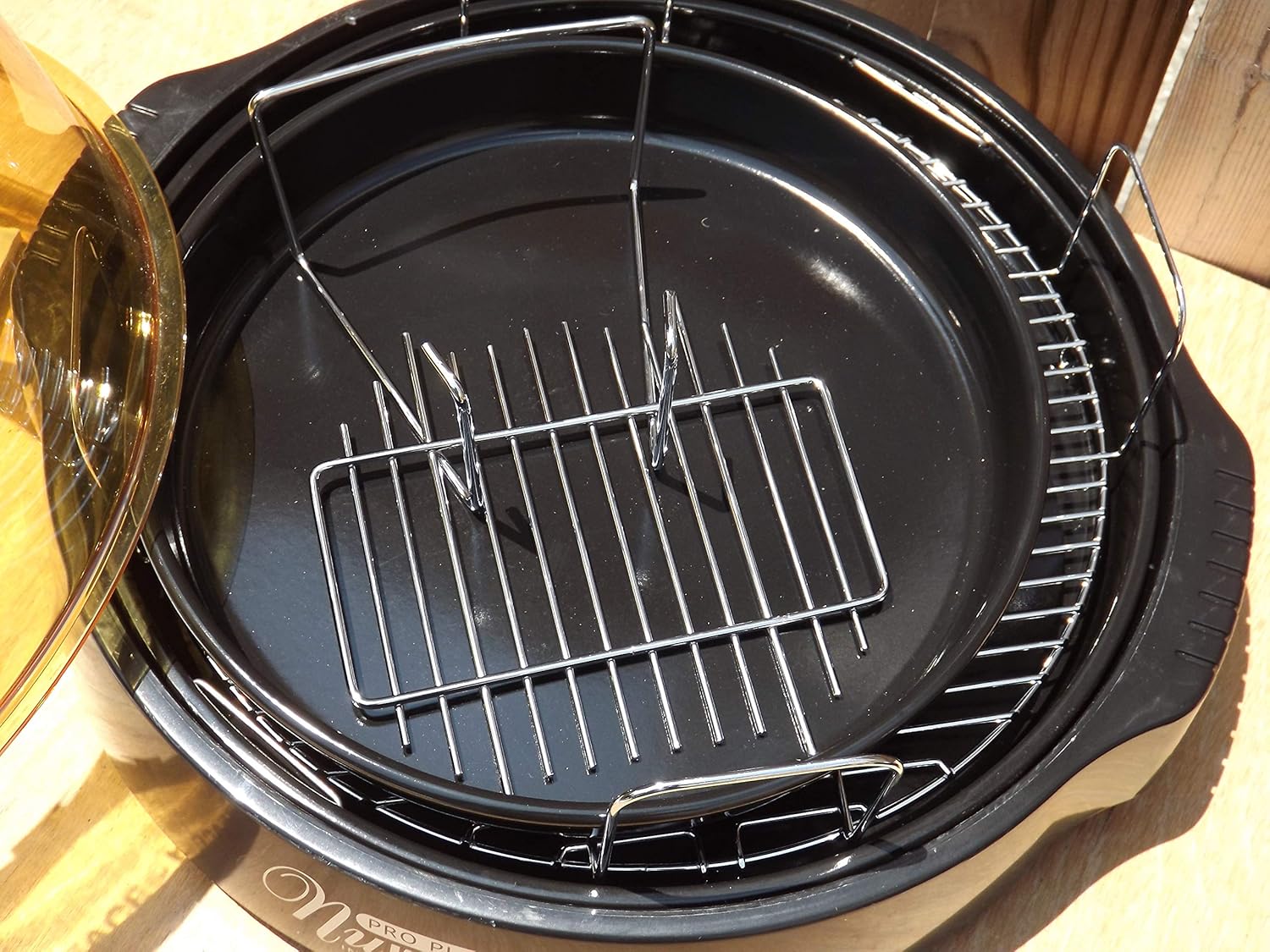
Figure 3.3: The cooking racks positioned within the oven's base pan, ready for food placement.
4. Socrú
Roimh an gcéad úsáid, cinntigh go bhfuil na hábhair phacáistithe go léir bainte agus go bhfuil an fearas cóimeáilte i gceart.
- Díphacáil: Bain go cúramach na comhpháirteanna go léir as an bpacáistiú.
- Glan: Wash the dome, cooking rack, and base pan with warm, soapy water. Rinse thoroughly and dry completely. The power head should only be wiped with a damp éadach.
- Bailigh: Place the base pan on a stable, heat-resistant surface. Insert the desired cooking rack into the base pan. Place the food on the rack. Carefully position the dome over the base pan. Finally, place the power head securely on top of the dome.
- Ceangal Cumhachta: Plug an téad cumhachta isteach in asraon caighdeánach 120V AC leictreach.
5. Treoracha Oibriúcháin
The Nuwave Pro Plus Infrared Oven features a digital control panel for precise cooking.

Figure 5.1: The digital control panel with buttons for Cook Time, Cook Temp, Reheat, Warm, Delay, Pause/Clear, Start, and numerical input.
- Cumhacht ar: Once plugged in, the display will illuminate.
- Socraigh Am Cócaireachta: Press the 'Cook Time' button. Use the numerical keypad to enter the desired cooking duration in minutes. Press 'Start' to confirm.
- Set Cooking Temperature: Press the 'Cook Temp' button. Use the numerical keypad to enter the desired temperature in degrees Fahrenheit. Press 'Start' to confirm.
- Tosaigh ag Cócaireacht: After setting time and temperature, press the 'Start' button to begin the cooking cycle.
- Pause/Clear: To temporarily stop cooking, press 'Pause/Clear'. Press 'Start' to resume. To cancel the current program, press 'Pause/Clear' twice.
- Feidhm Reheat: Press the 'Reheat' button for a preset reheating cycle. Adjust time if necessary using 'Cook Time'.
- Feidhm Te: Press the 'Warm' button to keep food warm after cooking.
- Feidhm Moill: Press the 'Delay' button to set a delayed start time for cooking. Follow on-screen prompts to set the delay duration.
Always monitor food during cooking. Cooking times may vary based on food type, quantity, and desired doneness.
6. Cothabháil agus Glanadh
Regular cleaning ensures optimal performance and extends the life of your Nuwave Pro Plus Infrared Oven.
- Díphlugáil agus Fuarú: Always unplug the oven from the power outlet and allow all components to cool completely before cleaning.
- Dome, Rack, and Base Pan: These components are dishwasher safe or can be washed by hand with warm, soapy water. Use a non-abrasive sponge or cloth. Rinse thoroughly and dry completely.
- Ceann Cumhachta: The power head contains electrical components and should NEVER be immersed in water. Wipe the exterior with a damp éadach. I gcás stains righne, bain úsáid as glantach éadrom ar an éadach, ansin glan le éadach glan,amp cloth. Ensure it is completely dry before storage or next use.
- Stóráil: Stóráil an oigheann in áit ghlan, thirim nuair nach bhfuil sé in úsáid.
7. Fabhtcheartú
Féach ar an alt seo le haghaidh saincheisteanna coitianta agus a réitigh.
| Fadhb | Cúis Féideartha | Réiteach |
|---|---|---|
| Ní chuireann an t-oigheann ar siúl. | Gan a bheith plugáilte isteach; an chumhacht amachtage; asraon lochtach. | Cinntigh go bhfuil an corda cumhachta plugáilte isteach go daingean. Seiceáil an scoradán ciorcaid. Bain triail as asraon difriúil. |
| Bia nach bhfuil ag cócaireacht go cothrom. | Improper food placement; too much food; incorrect temperature/time. | Ensure food is placed on the rack and not directly on the base. Do not overcrowd the oven. Adjust cooking time or temperature as needed. |
| Deatach nó boladh neamhghnách le linn oibríochta. | Food drippings on heating element; residue from previous cooking. | Unplug immediately. Allow to cool and clean all components thoroughly. Ensure no food particles are on the heating element. |
| Painéal rialaithe neamhfhreagrach. | Temporary electrical glitch; power head not seated correctly. | Unplug the oven for 1 minute, then plug back in. Ensure the power head is securely placed on the dome. |
8. Sonraíochtaí
Detailed technical specifications for the Nuwave Pro Plus Infrared Oven.
- Branda: Nuabheirthe
- Ainm an tSamhail: Nu-Wave Oven
- Cineál Rialaithe: Knob (Digital Keypad)
- Stíl Doras: Side Swing (Dome Lift)
- Comhpháirteanna san áireamh: Crumb Tray (Base Pan), Cooking Rack
- Cineál Críochnaithe: Péinteáilte
- Cineál Ábhar Doras: Stainless Steel (referring to internal components/accents)
- Foinse Cumhachta: cuibheoir AC
- Líon na Seilfeanna: 1 (Cooking Rack)
- Méid: Meánach
- Meáchan Mír: 14.26 punt
- Toisí Pacáiste: 15.8 x 14.9 x 12.1 orlach
- ASIN: B00IXC09QC
- UPC: 652185206021
9. Barántas agus Tacaíocht
For warranty information and customer support, please refer to the documentation included with your purchase or visit the official Nuwave websuíomh. Coinnigh d’admháil ceannaigh mar chruthúnas ceannaigh i gcás aon éilimh bharántais.
For further assistance, you may contact Nuwave customer service directly. Contact details are typically found on the product packaging or the manufacturer's official websuíomh.