
Bunáit W06
Baseus Encok True Wireless Earbuds W06 User Manual
Model: W06 | Brand: Baseus
Réamhrá
Thank you for choosing the Baseus Encok True Wireless Earbuds W06. This manual provides detailed instructions on how to set up, operate, and maintain your earbuds to ensure optimal performance and longevity. Please read this manual thoroughly before using the product.
Ábhar an Phacáiste
Seiceáil ábhar an phacáiste le do thoil nuair a dhíbhoscaítear é. Má tá aon earraí ar iarraidh nó má tá damáiste déanta dóibh, déan teagmháil le do mhiondíoltóir.
- Baseus Encok True Wireless Earbuds (L/R)
- Cás Muirir
- Cábla Muirearú USB-C
- Silicone Eartips (various sizes)
- Lámhleabhar Úsáideora
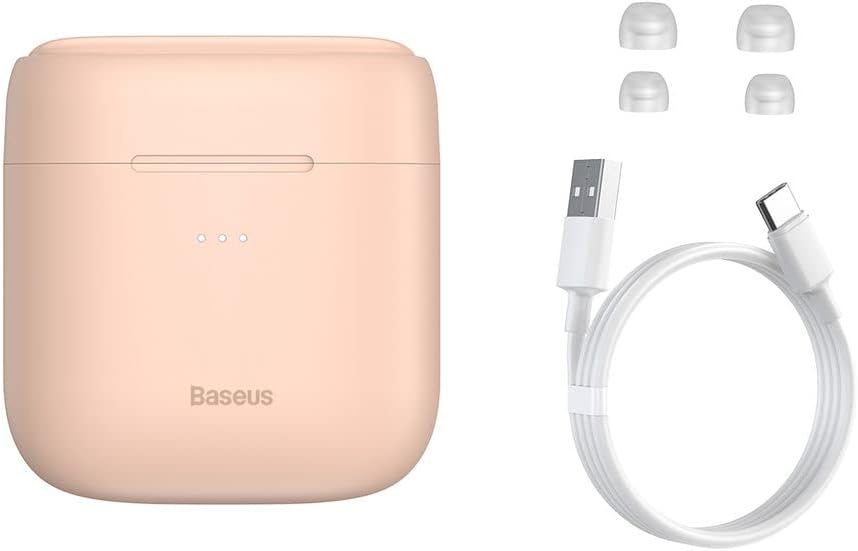
Image: The package contents, showing the charging case, two earbuds, a USB-C charging cable, and several pairs of silicone eartips.
Socrú
1. Muirearú na gCluasán agus an Chás
Before first use, fully charge the earbuds and the charging case. Place the earbuds into the charging case. Connect the USB-C cable to the charging case and a power source, or place the charging case on a compatible wireless charging pad.
- Taispeánfaidh na soilse táscaire ar an gcás stádas an mhuirir.
- De ghnáth tógann lánmhuirear thart ar 1.5 uair an chloig.
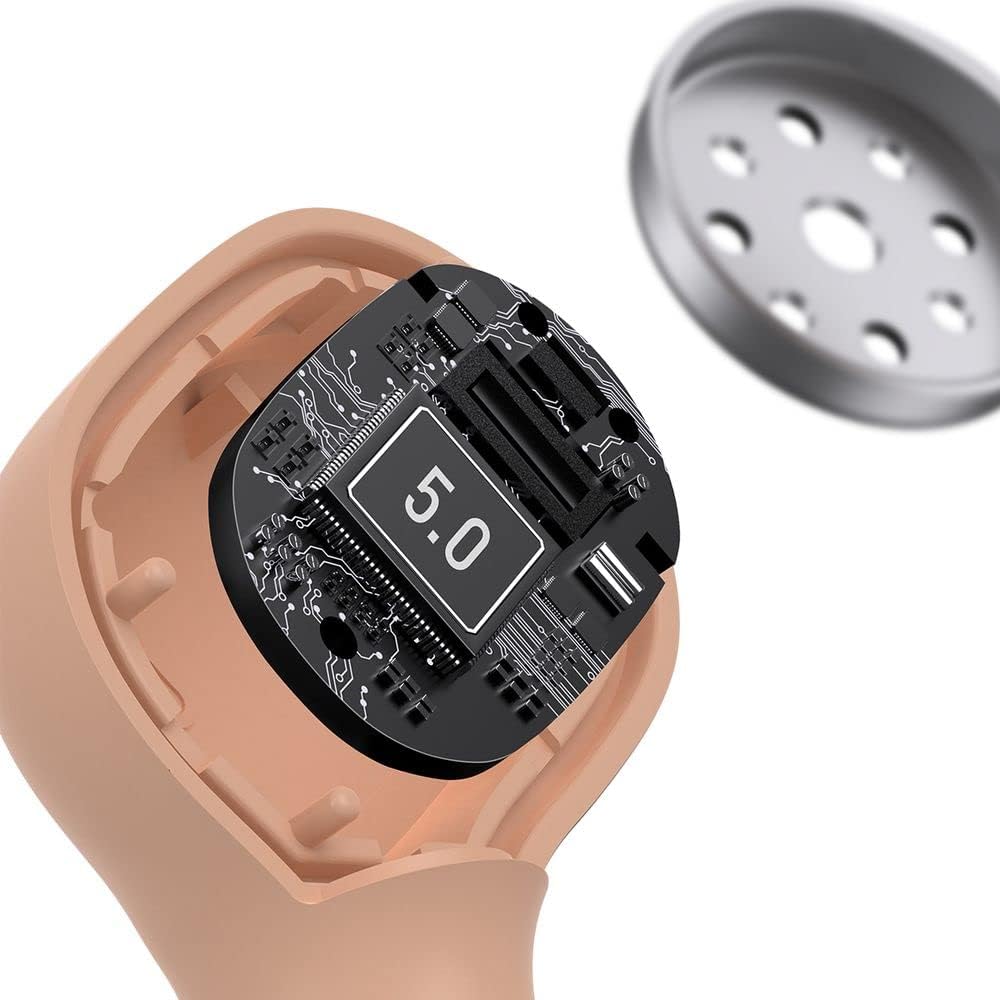
Image: The Baseus Encok W06 earbuds resting inside their open charging case, indicating they are ready for charging or use.

Image: Two Baseus Encok W06 charging cases, one connected via a USB-C cable and another placed on a wireless charging pad, demonstrating charging methods.
2. Péireáil Bluetooth
- Cinntigh go ngearrtar na cluasáin.
- Oscail an cás luchtaithe. Rachaidh na cluasáin isteach sa mhodh péireála go huathoibríoch, rud a léirítear le solas ag splancadh ar na cluasáin.
- Ar do ghléas (fón cliste, táibléad, srl.), cumasaigh Bluetooth.
- Cuardaigh le haghaidh "Baseus Encok W06" in the list of available Bluetooth devices.
- Select it to connect. Once connected, the indicator light on the earbuds will stop flashing.
Athcheanglóidh na cluasáin go huathoibríoch leis an bhfeiste péireáilte dheireanach nuair a bhaintear as an gcás iad, má tá Bluetooth cumasaithe ar an bhfeiste.
3. Ag Caitheamh na gCluasán
Choose the silicone eartips that provide the best fit and seal for your ears. Insert the earbuds gently into your ear canal and rotate them slightly until they feel secure and comfortable.

Image: A person wearing a Baseus Encok W06 earbud, illustrating how the earbud sits comfortably and securely in the ear.
Treoracha Oibriúcháin
The Baseus Encok W06 earbuds feature touch controls for various functions.
- Cumhacht ar: Open the charging case, or press and hold the touch panel for 3 seconds if earbuds are out of case.
- Múch: Place earbuds back into the charging case and close the lid, or press and hold the touch panel for 5 seconds.
- Seinn/Sos: Double-tap the touch panel on either earbud.
- An Chéad Amhrán Eile: Tapáil faoi thrí ar an gcluasán ceart.
- Rian Roimhe Seo: Tapáil faoi thrí ar an gcluasán clé.
- Freagra/Deireadh Glao: Double-tap the touch panel on either earbud during an incoming call.
- Diúltaigh Glao: Press and hold the touch panel on either earbud for 2 seconds during an incoming call.
- Gníomhaigh Cúntóir Gutha: Press and hold the touch panel on either earbud for 3 seconds.
Príomhghnéithe
- Double-sided Wireless Charging: The charging case supports wireless charging from both sides, allowing flexible placement on a wireless charging pad.
- APT-X Audio Decoding: Provides high-quality audio transmission for a superior listening experience.
- CVC Noise Canceling: Clear Voice Capture technology reduces background noise during calls for clearer communication.
- Saol Leathnaithe Battery: Offers up to 300 hours of standby time.
- Bluetooth 5.0: Cinntíonn sé nascacht gan sreang chobhsaí agus éifeachtach.

Image: A visual representation of the Baseus Encok W06 earbuds and charging case, accompanied by text detailing key features such as two-sided wireless charging, APT-X audio decoding, CVC noise canceling, and 300 hours of battery life.

Íomhá: Mionsonraithe view of the internal circuitry of a Baseus Encok W06 earbud, prominently displaying '5.0', signifying its Bluetooth 5.0 connectivity.
Cothabháil
Glanadh
- Glan na cluasáin agus an cás luchtaithe go rialta le héadach bog, tirim, saor ó lint.
- Bain na bairr chluas agus glan iad le gallúnach éadrom agus uisce, ansin triomaigh go maith iad sula n-athcheanglaítear iad.
- Ná húsáid glantóirí scríobacha, alcól ná tuaslagóirí ceimiceacha.
- Cinntigh go bhfuil na teagmhálacha luchtaithe ar na cluasáin agus ar an gcás glan agus saor ó smionagar.
Stóráil
- Stóráil na cluasáin ina gcás luchtaithe nuair nach bhfuil siad in úsáid chun iad a chosaint agus coinnigh muirear orthu.
- Seachain stóráil in áiteanna le teochtaí foircneacha (te nó fuar) nó taise ard.
Cúram Battery
- To preserve battery life, charge the earbuds and case regularly, even if not used frequently.
- Seachain an ceallraí a dhraenáil go hiomlán ar feadh tréimhsí fada.
Fabhtcheartú
| Fadhb | Réiteach |
|---|---|
| Níl na cluasáin ag péireáil leis an ngléas. |
|
| Gan aon fhuaim ó chluasán amháin nó an dá cheann. |
|
| Níl an cás muirir ag muirearú. |
|
Sonraíochtaí
| Gné | Sonraigh |
|---|---|
| Branda | Baseus |
| Ainm an tSamhail | NGJW06-04 (W06) |
| Uimhir Mhúnla Mír | B00F2ZIDTS |
| Teicneolaíocht Nascachta | Gan Sreang (Bluetooth 5.0) |
| Fachtóir Foirm Cluasáin | In-Chluas |
| Gné Cábla | Gan sreang |
| Meáchan Mír | 50 gram |
| Toisí Táirge | 10 x 3 x 2 cm |
| Monaróir | Baseus |
| Muirearú Gan Sreang | Supported (Double-sided) |
| Díchódú Fuaime | APT-X |
| Torann á Chealú | CVC (for calls) |
| Saol Ceallraí (Fuireachas) | Suas le 300 uair an chloig |
Eolas Sábháilteachta
- Ná díchóimeáil, ná deisigh nó ná modhnaigh an táirge.
- Coinnigh an táirge ar shiúl ó uisce, taise, agus teochtaí foircneacha.
- Seachain nochtadh fada do leibhéil arda toirte chun damáiste éisteachta a chosc.
- Déan an táirge agus a cheallraí a dhiúscairt go freagrach de réir rialacháin áitiúla.
- Coinnigh as teacht leanaí agus peataí.
Barántas agus Tacaíocht
Baseus products typically come with a limited warranty. For specific warranty terms and conditions, please refer to the warranty card included in your package or visit the official Baseus website. For technical support, product inquiries, or warranty claims, please contact Baseus customer service or your local retailer.
You can visit the official Baseus store for more information: Siopa Baseus
Ask a question about this manual
Ask about setup, troubleshooting, compatibility, parts, safety, or missing instructions. Manuals+ will review the question and use this page’s manual context to help answer it.