
A4tech N-500F
A4Tech V-Track N-500F-1 Glossy Grey USB Mouse User Manual
Model: N-500F
Réamhrá
Thank you for choosing the A4Tech V-Track N-500F-1 Glossy Grey USB Mouse. This manual provides essential information for setting up, operating, and maintaining your new mouse. The contoured design ensures maximum comfort and support during extended use, and the sturdy scroll wheel with a rubberized surface prevents slippage for precise control.
Socrú
Follow these steps to set up your A4Tech V-Track N-500F-1 mouse:
- Ceangail an Luch: Aimsigh port USB atá ar fáil ar do ríomhaire. Cuir nascóir USB an luiche isteach go daingean sa phort USB.
- Suiteáil Tiománaí: Your operating system (Windows XP, Windows 7, Linux, etc.) should automatically detect and install the necessary drivers for the mouse. No additional software installation is typically required for basic functionality.
- Fíoraigh Feidhmiúlacht: Once connected, move the mouse to check if the cursor responds on your screen. Test the left and right click buttons, and the scroll wheel.
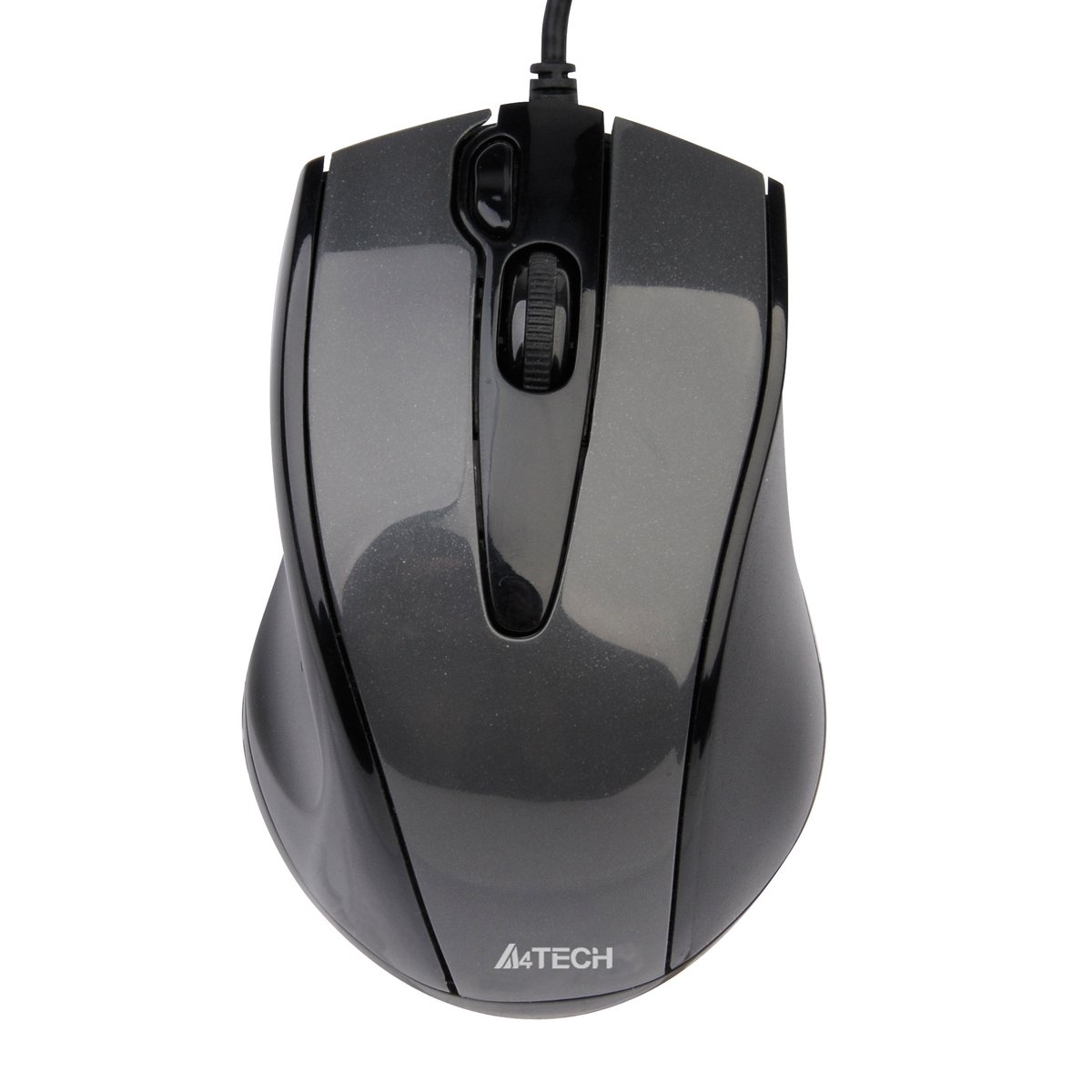
This image displays the A4Tech V-Track N-500F-1 mouse from a top-down perspective. It features a glossy grey finish, a central scroll wheel, and standard left and right click buttons. A USB cable extends from the front of the mouse.
Ag Oibriú Do Luiche
The A4Tech V-Track N-500F-1 mouse is designed for intuitive use with standard computer functions.
- Cliceáil ar Chlé: Úsáid an cnaipe clé chun míreanna a roghnú, ag oscailt files, agus naisc a ghníomhachtú.
- Cliceáil ar dheis: Use the right button to access context menus, offering additional options for selected items.
- Roth Scrollaigh: Roll the wheel up or down to navigate through documents and web pages. The scroll wheel can also be pressed down for a middle-click function, often used for opening links in new tabs or auto-scrolling.
- Cnaipe Breise: This mouse features an additional button, typically located near the scroll wheel or on the side. This button can often be customized through your operating system's mouse settings or A4Tech's proprietary software (if available) to perform various functions, such as screen capture, quick access to applications, or specific commands. Refer to your computer's settings for customization options.
Cothabháil agus Cúram
Chun fad saoil agus feidhmíocht is fearr do luiche a chinntiú, lean na treoirlínte cothabhála seo:
- Glanadh: Bain úsáid as éadach bog, tirim chun dromchla na luiche a ghlanadh. I gcás salachar righin, déan beagán díghalrúcháin.ampNigh an t-éadach le huisce nó le glantóir éadrom, neamh-scríobach. Seachain ceimiceáin ghéara nó ábhair scríobacha a úsáid.
- Glanadh Braiteoir: Ó am go ham, d’fhéadfadh deannach nó smionagar carnadh timpeall an braiteora optúil ar bhun an luiche. Bain úsáid as swab cadáis nó aer comhbhrúite chun an limistéar braiteora a ghlanadh go réidh.
- Seachain Leachtanna: Do not immerse the mouse in water or expose it to excessive moisture.
- Stóráil: Nuair nach bhfuil sé in úsáid, stóráil an luch i dtimpeallacht ghlan, thirim amach ó theocht mhór.
Fabhtcheartú
If you encounter issues with your A4Tech V-Track N-500F-1 mouse, refer to the table below for common problems and solutions:
| Fadhb | Cúis Féideartha | Réiteach |
|---|---|---|
| Ní ghluaiseann cúrsóir luiche. | Loose USB connection, faulty USB port, dirty sensor. | Ensure USB cable is securely plugged in. Try a different USB port. Clean the optical sensor. Restart your computer. |
| Buttons or scroll wheel are unresponsive. | Software conflict, debris under buttons. | Restart your computer. Check for any conflicting software. Gently clean around the buttons. |
| Tá gluaiseacht an chúrsóra neamhrialta nó preabúil. | Dirty sensor, unsuitable mouse pad surface. | Clean the optical sensor. Use a clean, uniform mouse pad or surface. |
| Mouse is not detected by the computer. | Driver issue, hardware malfunction. | Try connecting to another computer to rule out mouse malfunction. Check Device Manager for driver status. |
Sonraíochtaí Teicniúla
Below are the technical specifications for the A4Tech V-Track N-500F-1 mouse:
| Gné | Sonraigh |
|---|---|
| Branda | A4tech |
| Múnla | N-500F |
| Teicneolaíocht Nascachta | USB |
| Comhéadan Crua-earraí | USB 2.0 |
| Líon na gCnaipí | 4 |
| Treoshuíomh Láimhe | Ceart |
| Dath | Liath |
| OS comhoiriúnach | Linux, Windows XP, Windows 7 |
| Toisí Táirge | 23.01 x 5.99 x 8.99 cm |
| Meáchan Mír | 158.76 g |
| Cineál Foinse Cumhachta | Corded Leictreach |
Barántas agus Tacaíocht
A4Tech products are manufactured to high-quality standards. For information regarding warranty coverage, technical support, or service, please refer to the warranty card included with your product or visit the official A4Tech websuíomh. Coinnigh d’admháil ceannaigh mar chruthúnas ceannaigh le haghaidh éilimh bharántais.
Ask a question about this manual
Ask about setup, troubleshooting, compatibility, parts, safety, or missing instructions. Manuals+ will review the question and use this page’s manual context to help answer it.